
You run NetSuite. Your trade customers log in to a SuiteCommerce site or a SuiteCommerce MyAccount portal to reorder, check invoices and pay. It mostly works. But every new request from sales, a quote flow, a buyer approval step, a quick-order screen that matches how your counter staff take orders, turns into a conversation about what the platform allows.
This guide is for B2B sellers who are keeping NetSuite as the system of record and are deciding what the customer-facing layer should be. It compares five options, including staying on SuiteCommerce and fixing the gaps. It does not cover replacing NetSuite itself, and it is not for consumer-only brands.
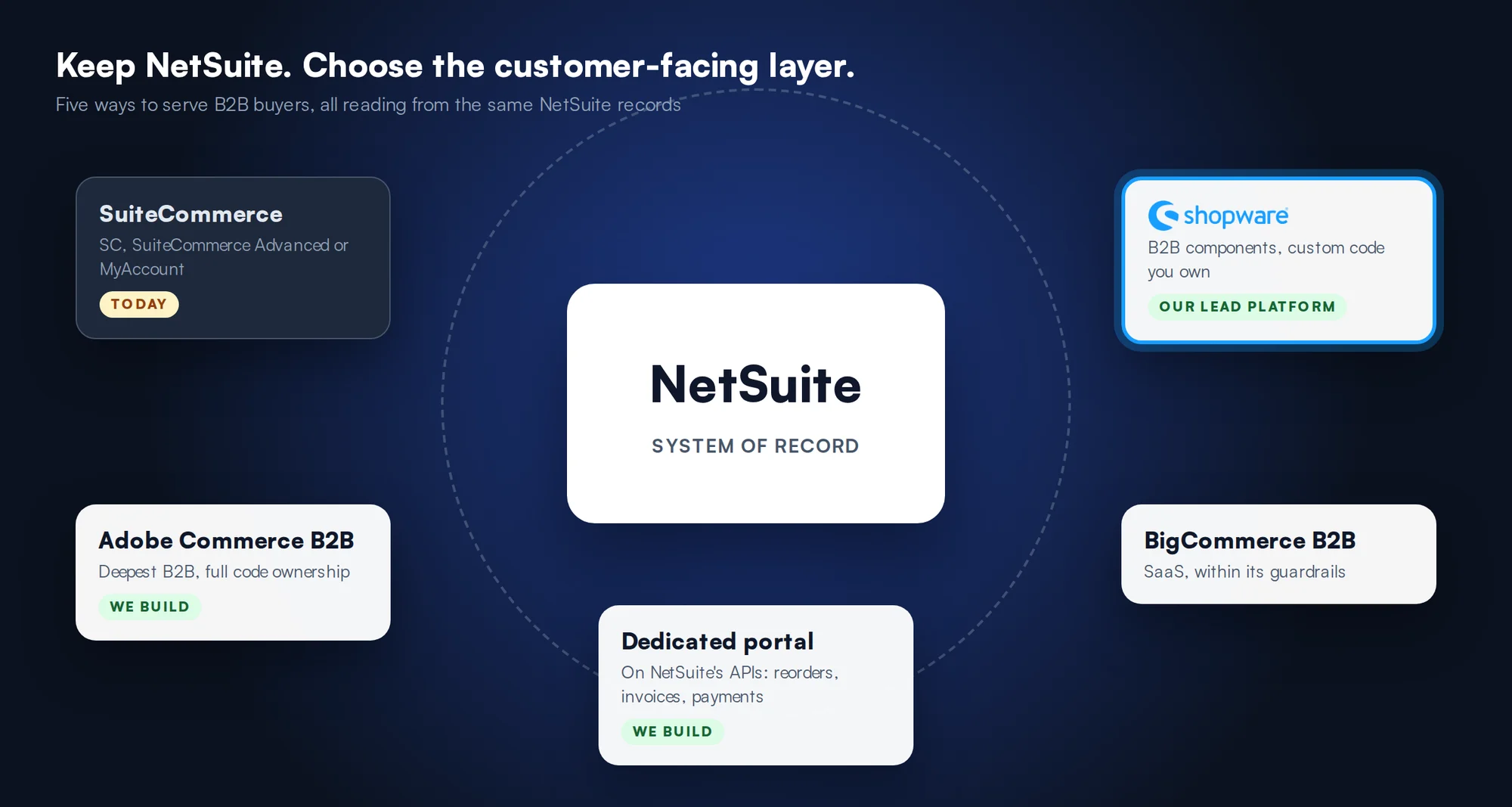
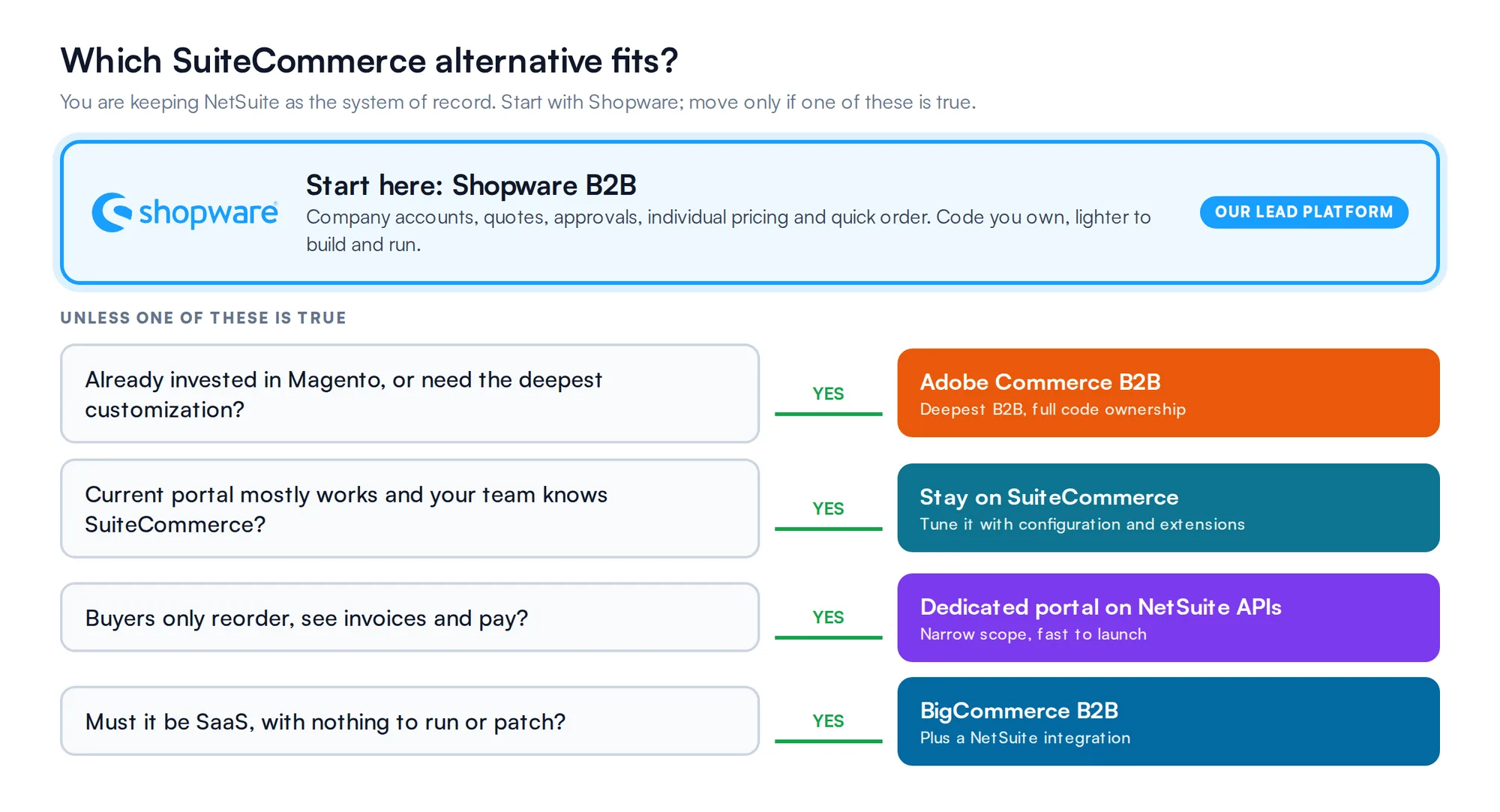
Quick summary: who fits which option
Web Solutions NYC builds B2B commerce on Shopware, where we are a Platinum partner, and on Adobe Commerce (Magento). We have built ecommerce since 2007, almost always wired to an ERP that owns price, stock and credit. Whether the ERP is NetSuite, Epicor P21, Dynamics or SAP Business One, the pattern is the same: the ERP stays the source of truth and the storefront reads from it.
What is SuiteCommerce?
SuiteCommerce is Oracle NetSuite’s own ecommerce product, built directly on NetSuite records. It comes in three forms:
Why seek alternatives to SuiteCommerce?
SuiteCommerce supports a long list of B2B features: price levels, volume pricing, payment terms, credit limits, quotes, many contacts ordering for one company, and minimum order amounts. Teams rarely leave over a missing checkbox. They leave over depth, control and fit.
You configure it, you do not change it
On SuiteCommerce and SuiteCommerce MyAccount the code is locked. Oracle’s own guidance is to configure rather than customize, and to extend through its Extensions framework and Extensibility API. That keeps upgrades safe. It also means a buying flow your customers need, and the platform does not model, becomes a workaround.
Source: Oracle NetSuite Help Center, SuiteCommerce MyAccount Overview.
SuiteCommerce Advanced trades upgrades for control
SuiteCommerce Advanced gives developers the code. The cost, in Oracle’s words on its developer site, is that SCA sites can only be migrated to new versions manually, which “leads to sites lagging on older versions”. Oracle publishes a feature compatibility matrix so developers can check which features their version supports.
Sources: developers.suitecommerce.com and its SuiteCommerce Advanced Feature Compatibility Matrix.
“We’re using [our ERP] as a backbone, we definitely are, and then using their solutions and trying to make them work. And it’s frustrating. It is consultant heavy.”
A buyer on a sales call: logistics lead, lighting manufacturer
The MyAccount portal is narrow by design
SuiteCommerce MyAccount is built for account self-service. It has no shopping cart or checkout: customers can reorder past items or pay an existing quote or invoice. All quotes must be created by a sales rep in NetSuite, and the site must use the SuiteCommerce Base Theme. If you want buyers to search the catalog or build a quote themselves, you are buying a second product.
Source: Oracle NetSuite Help Center, SuiteCommerce MyAccount Overview.
| Buyer task | MyAccount | Full portal |
|---|---|---|
| Reorder past purchases | Yes | Yes |
| See invoices, balance and statements; pay | Yes | Yes |
| Search and browse the catalog | No Only the login page is public | Yes |
| Build a new order in a cart | No Pay an existing quote or invoice, or reorder | Yes |
| Request a quote themselves | No Quotes are created by a sales rep in NetSuite | Yes |
| Your own design | Limited SC Base Theme, styled in Site Management Tools | Yes |
Source: Oracle NetSuite Help Center, SuiteCommerce MyAccount Overview, checked October 2026.
Some B2B choices force a second site
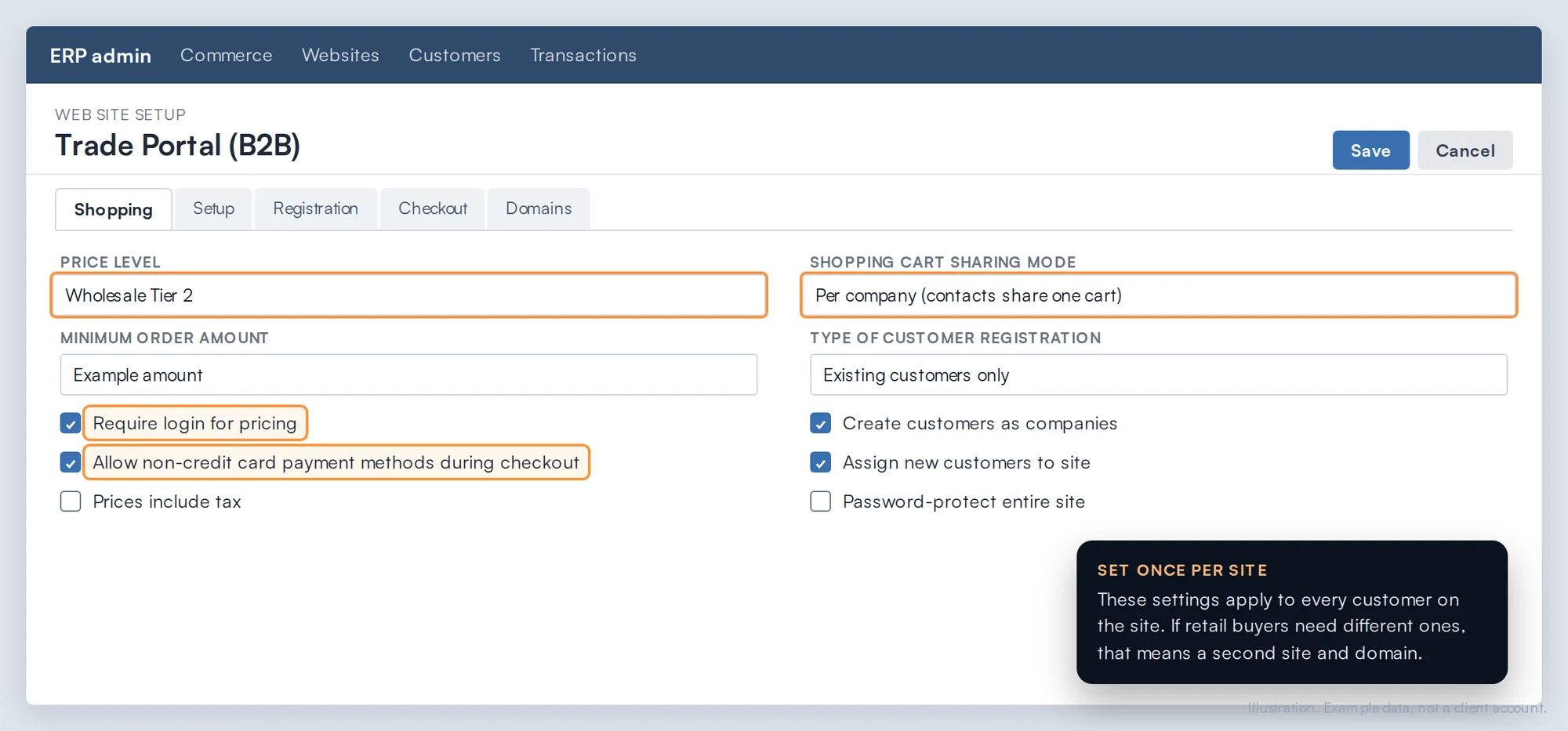
Many popular B2B settings live on the web site record: the default price level, require login for pricing, cart sharing between contacts, payment terms at checkout, minimum order amounts. If your B2B and consumer customers need different settings, you need separate sites, which means a separate domain, more upkeep and possibly more licenses. With NetSuite OneWorld, a site can serve several subsidiaries but only one can be its default.
Source: developers.suitecommerce.com, Set Up B2B Functionality on SuiteCommerce.
5 SuiteCommerce alternatives for business portals

Shopware with B2B components and a NetSuite integration OUR LEAD PLATFORM
For most mid-market distributors and manufacturers on NetSuite. B2B buying is built into Shopware’s commercial plans, and the custom code we build is yours. It is the platform we lead with, and we are a Shopware Platinum partner.
Key features
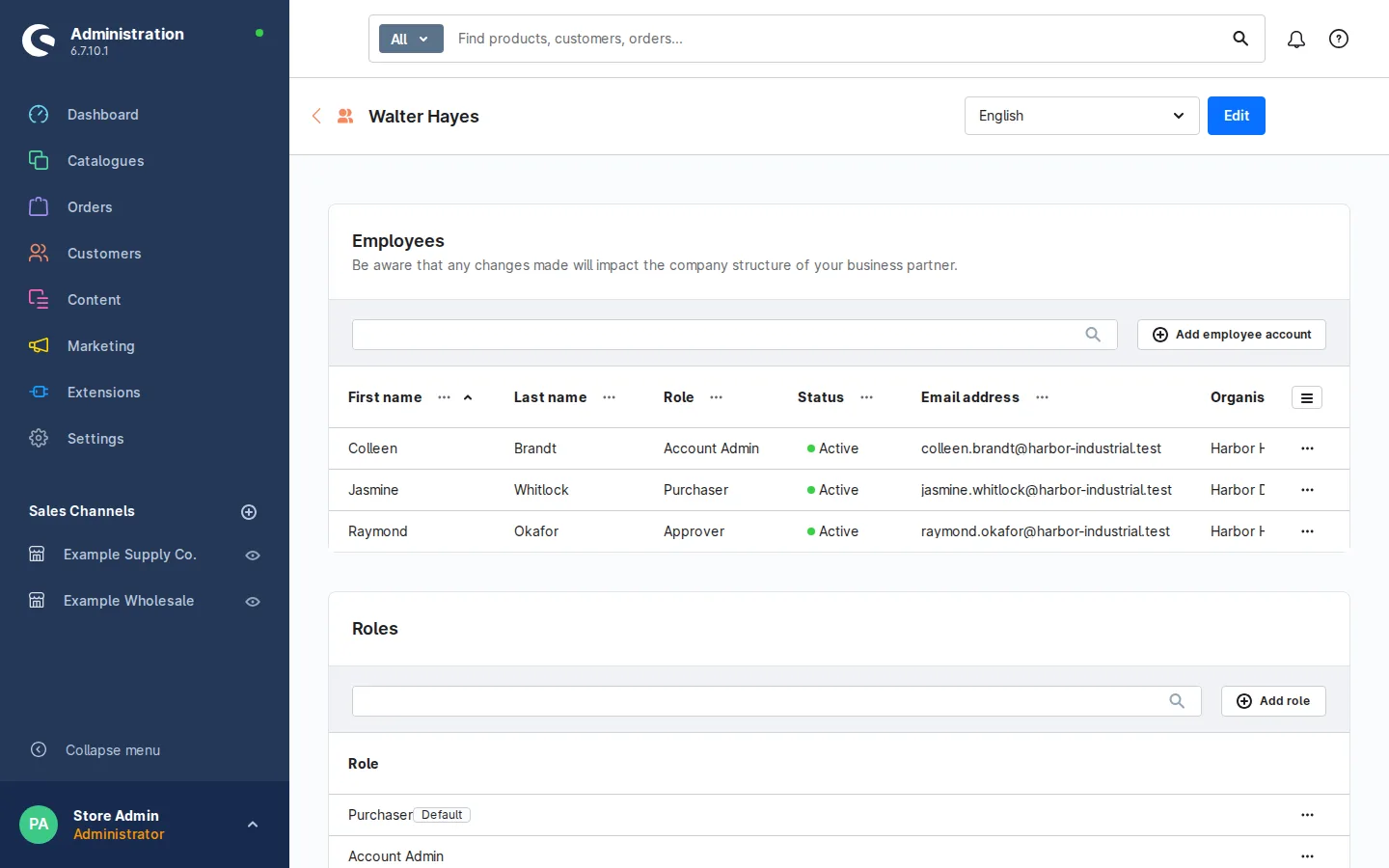
- Employee management: a buyer platform where each company invites and manages its own users.
- Organization units: access rights by branch or department for companies with complex structures.
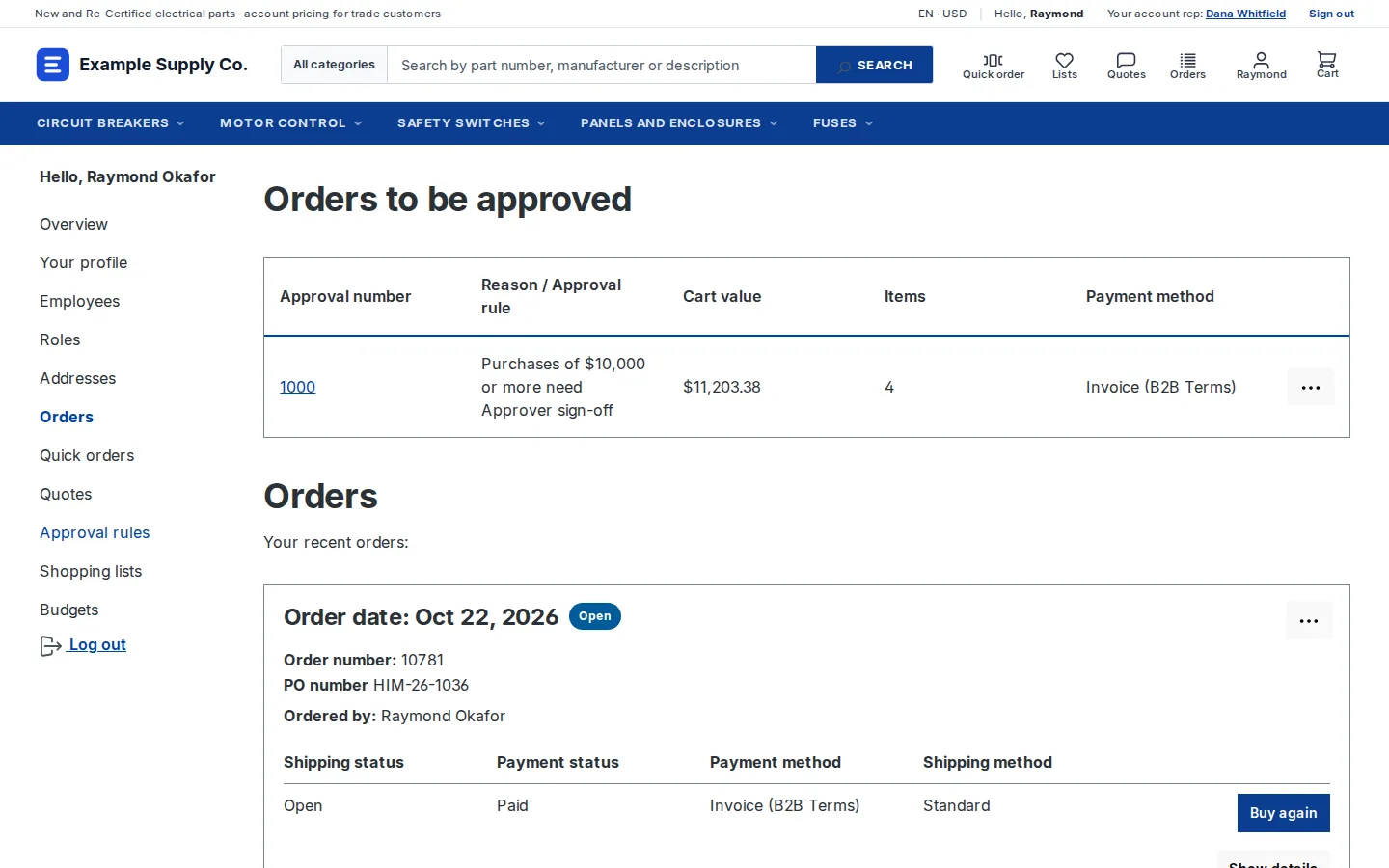
- Quote management: buyers request quotes and your sales reps negotiate them.
- Order approval: approval workflows, so a requester’s order waits for a manager before it reaches NetSuite.
- Individual pricing: rule-based pricing agreements and volume pricing for companies and customer groups.
- Customer-specific pricing: exact per-customer, per-item prices loaded through the API, on the Beyond plan.
- Quick order and shopping lists: SKU entry and saved lists for repeat buyers.
- Per-customer switches: each B2B feature can be turned on or off for each business customer.
Why we lead with it for NetSuite sellers
SuiteCommerce sellers who call us usually want three things: buyers who can do more than reorder, a site their own team can change, and a running cost that does not grow with every request. Shopware covers the B2B buying model, company accounts, quotes, approvals and account pricing, in its own B2B components, so most of the work goes into the NetSuite integration and the buying flow rather than into rebuilding B2B basics. Because each component switches on per customer, a trade account and a retail buyer can share one site without a second domain.
What the NetSuite build looks like
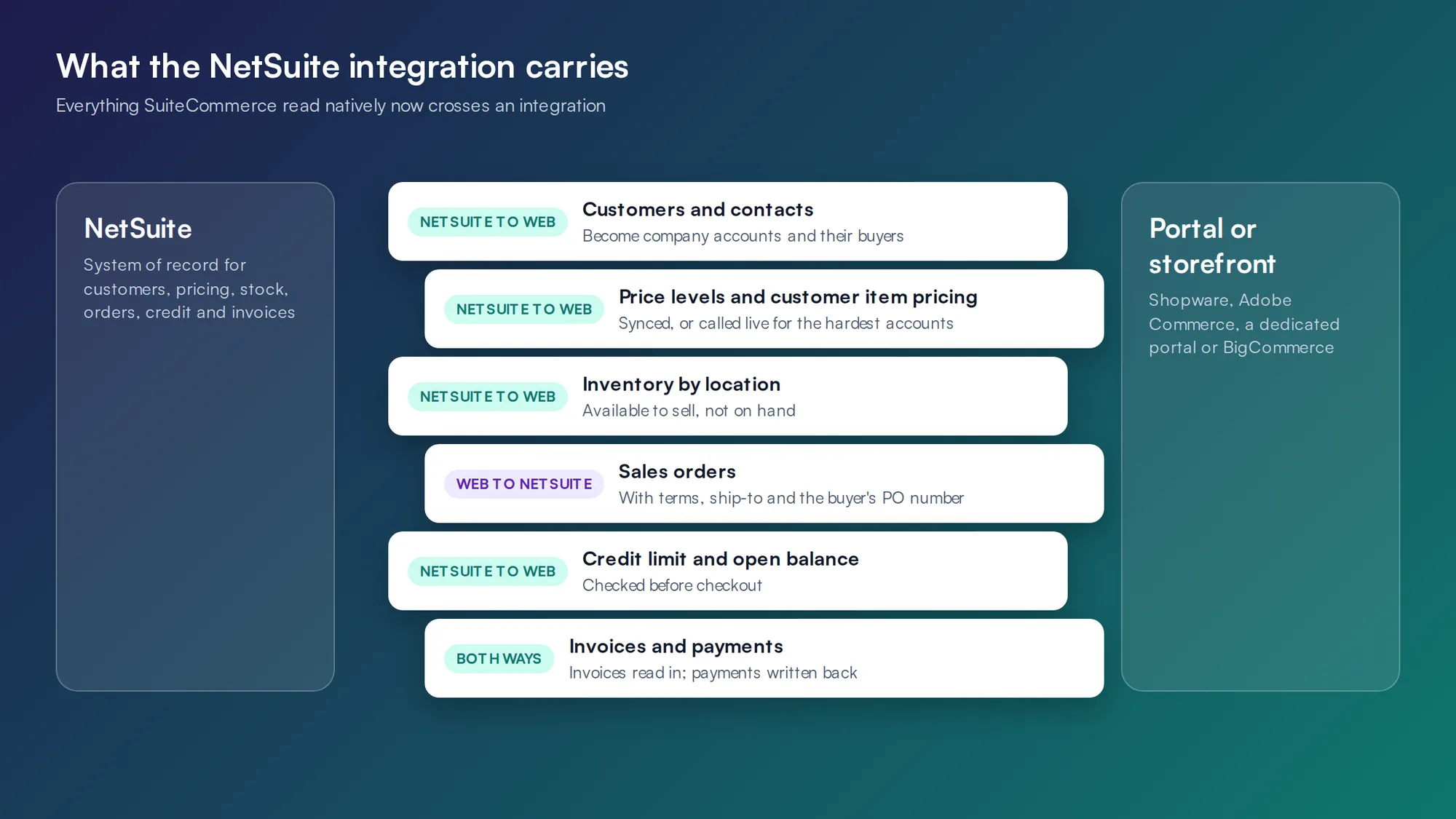
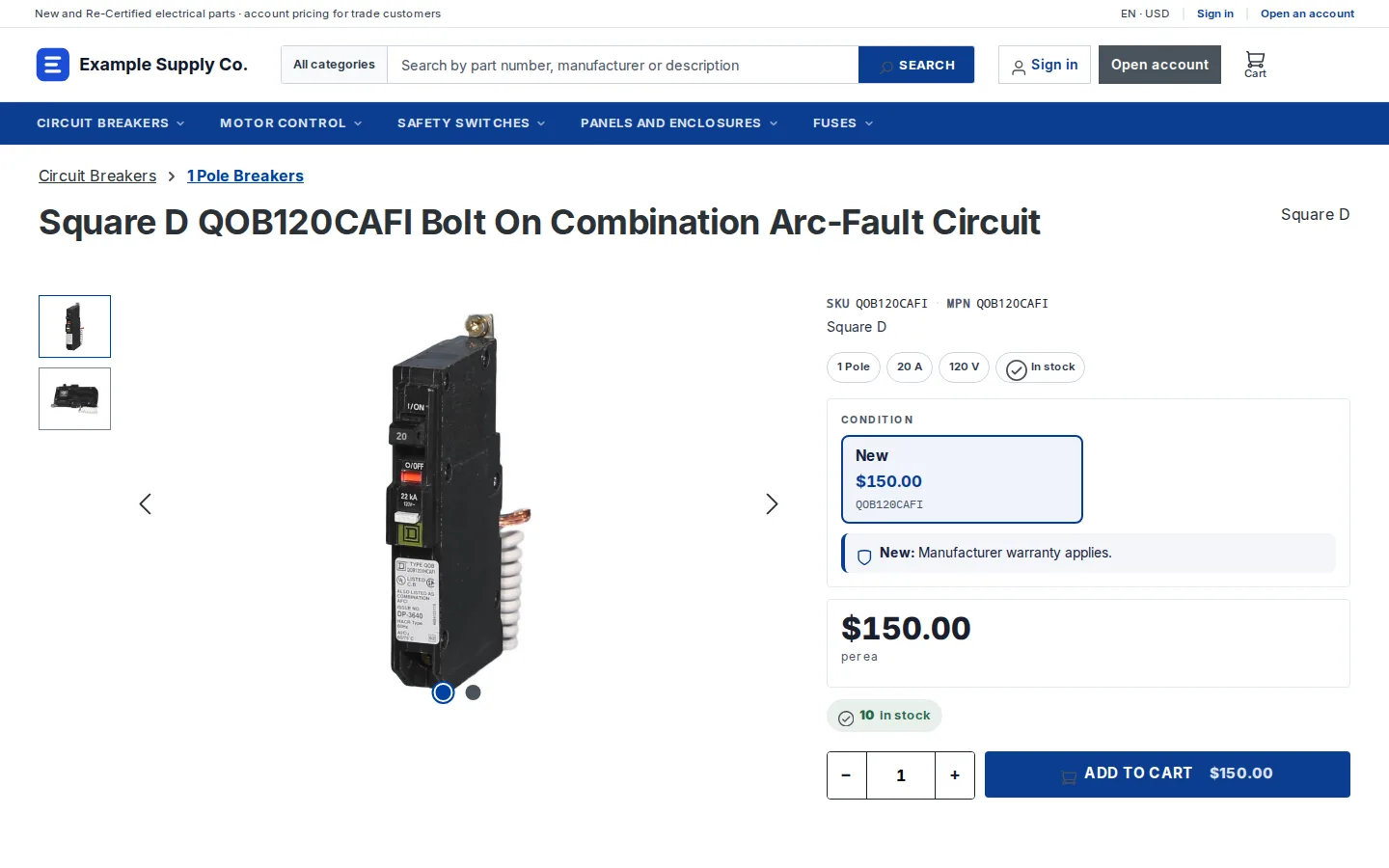
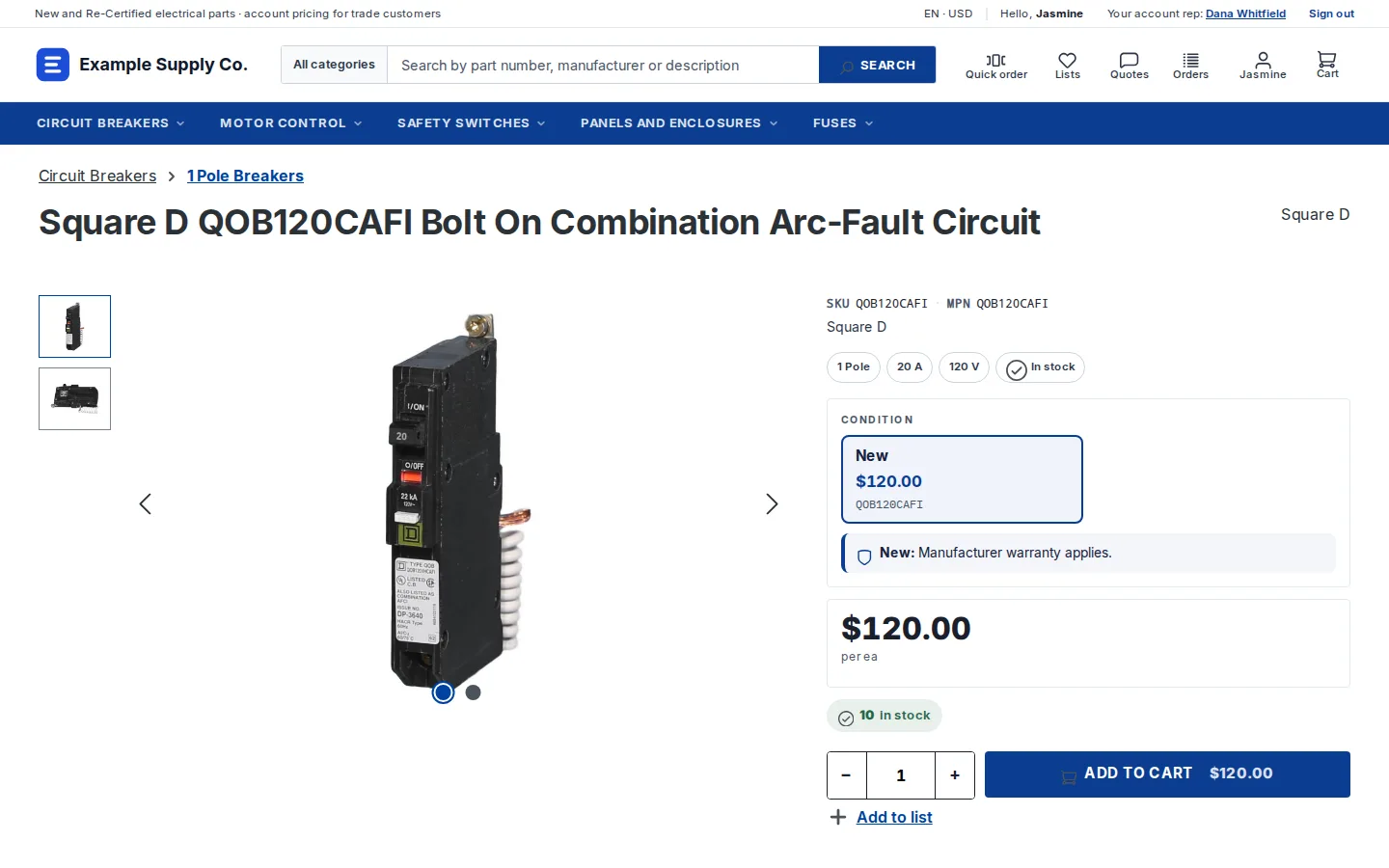
NetSuite stays the system of record. Customers and contacts become Shopware companies and employees. NetSuite price levels map to customer-group prices. Customer item pricing loads into Shopware’s customer-specific pricing on the Beyond plan, and the accounts with the most complex pricing are priced live. Orders go back to NetSuite as sales orders through SuiteTalk REST web services or RESTlets, with terms, ship-to and the buyer’s PO number. We build and maintain that integration ourselves.
How it is priced: Shopware sells plans. Per Shopware’s pricing page, B2B components such as quotes and purchasing approvals start with the Evolve plan, so B2B is part of the plan rather than a separate product. Customer-specific pricing brought in from external systems such as NetSuite is listed on the Beyond plan, so sellers with account-level contract pricing should price Beyond. The NetSuite integration is a custom build or a connector.
Pros
- B2B is part of the plan, switched on per customer.
- An open-source core, with code you control.
- B2B features come in the plan, not as a separate build.
Cons
- A smaller US partner and extension ecosystem than Adobe Commerce.
- Fewer ready-made NetSuite connectors, so the integration is usually built.
- B2B components need Evolve or above; customer-specific pricing from NetSuite is listed on Beyond.
Adobe Commerce B2B with a NetSuite integration WE BUILD THIS
For sellers already invested in Magento, or with the most complex catalogs and buying rules, who want the deepest native B2B feature set and are ready for a heavier build.
Key features
- Company accounts: one company, many buyers, with divisions, roles and permissions set by the company admin.
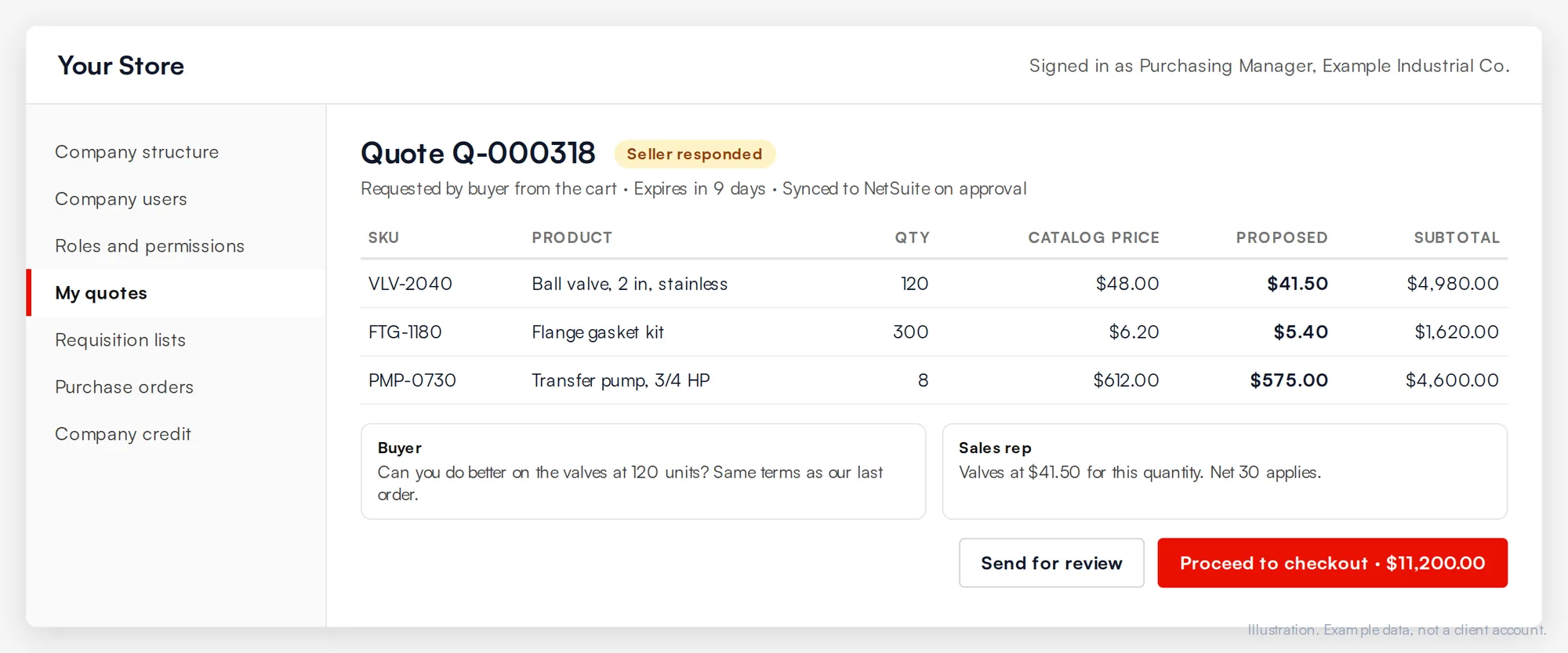
- Negotiated quotes: buyers request a quote from the cart, and your sales team negotiates it before it converts to an order.
- Shared catalogs and custom pricing: each company sees its own catalog and prices, filled from NetSuite.
- Requisition lists, quick order and approvals: reorder lists, SKU entry and purchase order approval rules.
Choose it over Shopware when you already run Magento and have code, extensions and a team built around it, or when the catalog and buying rules need customization deep in the platform. Per Adobe’s B2B documentation, companies can also pay on account against a company credit line, which a NetSuite integration keeps in step with the customer’s credit limit.
How it is priced: Adobe Commerce is licensed by Adobe. The B2B features are an extension enabled in an Adobe Commerce store. The NetSuite integration is a connector subscription or a custom build.
Pros
- The deepest native B2B feature set of the five.
- Any buying flow can be built, because the code is yours.
- A very large developer and extension ecosystem.
Cons
- The heaviest build and upkeep of the five.
- The NetSuite integration is a real project that needs an owner.
- More moving parts to run, patch and monitor.
Stay on SuiteCommerce, and fix the gaps
For sellers whose portal mostly works, with a NetSuite team or partner that knows the platform.
Key features
- Native NetSuite data: customers, items, price levels and transactions with no integration layer.
- Three products to mix: SuiteCommerce, SuiteCommerce Advanced and SuiteCommerce MyAccount.
- B2B settings for price levels, login-to-see-price, payment terms, shared carts and minimum orders.
- Extensions and Site Management Tools for changes without touching core code.
What to fix first: per Oracle’s MyAccount documentation, you can run a SuiteCommerce site and a separate MyAccount portal side by side, use Customer Center custom permissions to hide menu items from certain customers, and add landing pages with Site Management Tools. Commerce extensions cover many common requests without code changes.
How it is priced: licensed by Oracle NetSuite per site and implemented by a NetSuite partner. SuiteCommerce MyAccount needs its own license.
Pros
- No integration to build or maintain.
- One vendor for ERP and storefront.
- Automatic updates on SC and MyAccount.
Cons
- Locked code on SC and MyAccount.
- Manual version migrations on SCA.
- A narrower developer pool than the open platforms.
A dedicated portal on NetSuite’s APIs WE BUILD THIS
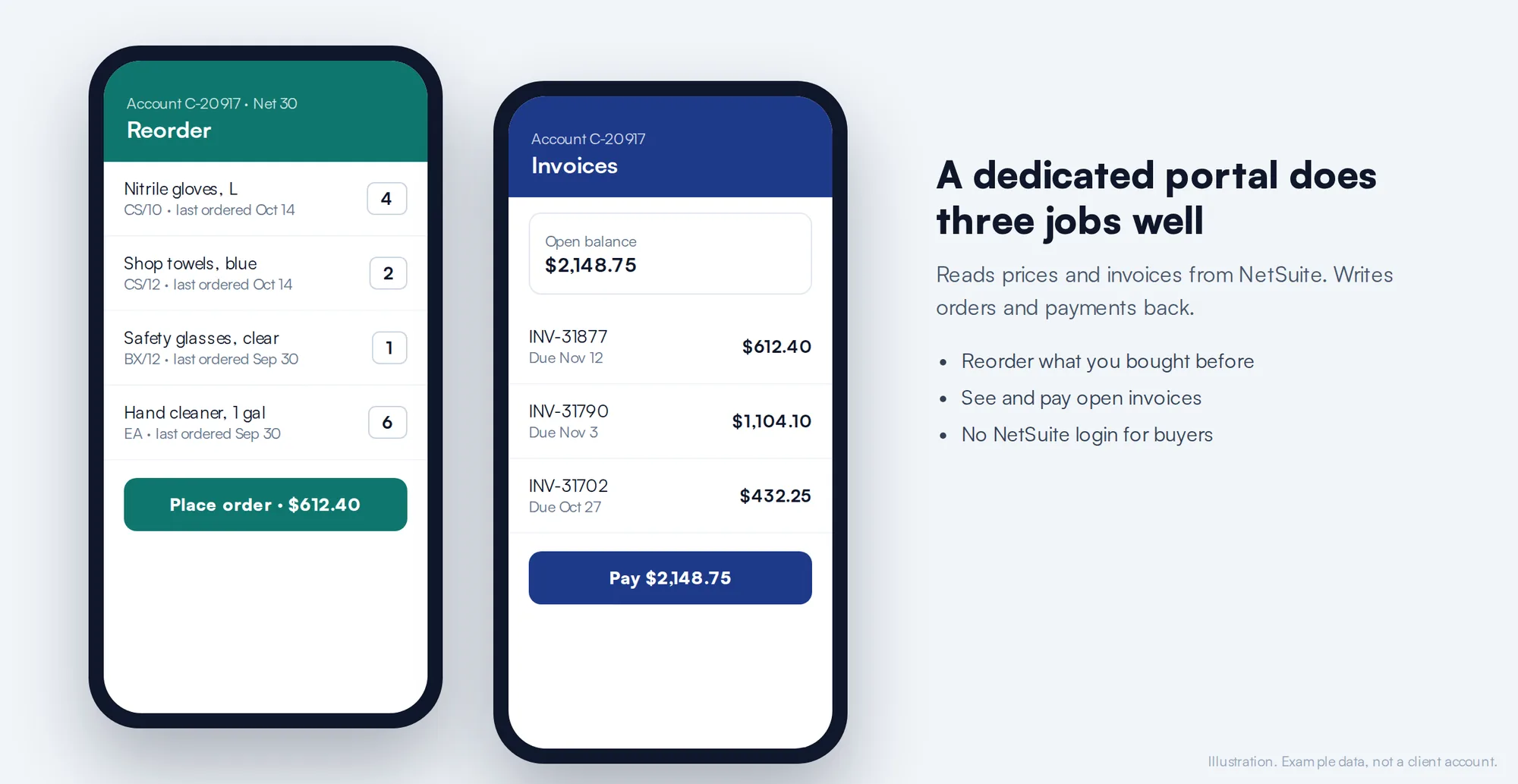
For sellers whose need is narrow: logged-in reorders, invoices, statements and payments for existing accounts.
Key features
- Reads price levels and customer item pricing from NetSuite so each buyer sees their price.
- Writes orders into NetSuite through SuiteTalk REST, SOAP web services or RESTlets.
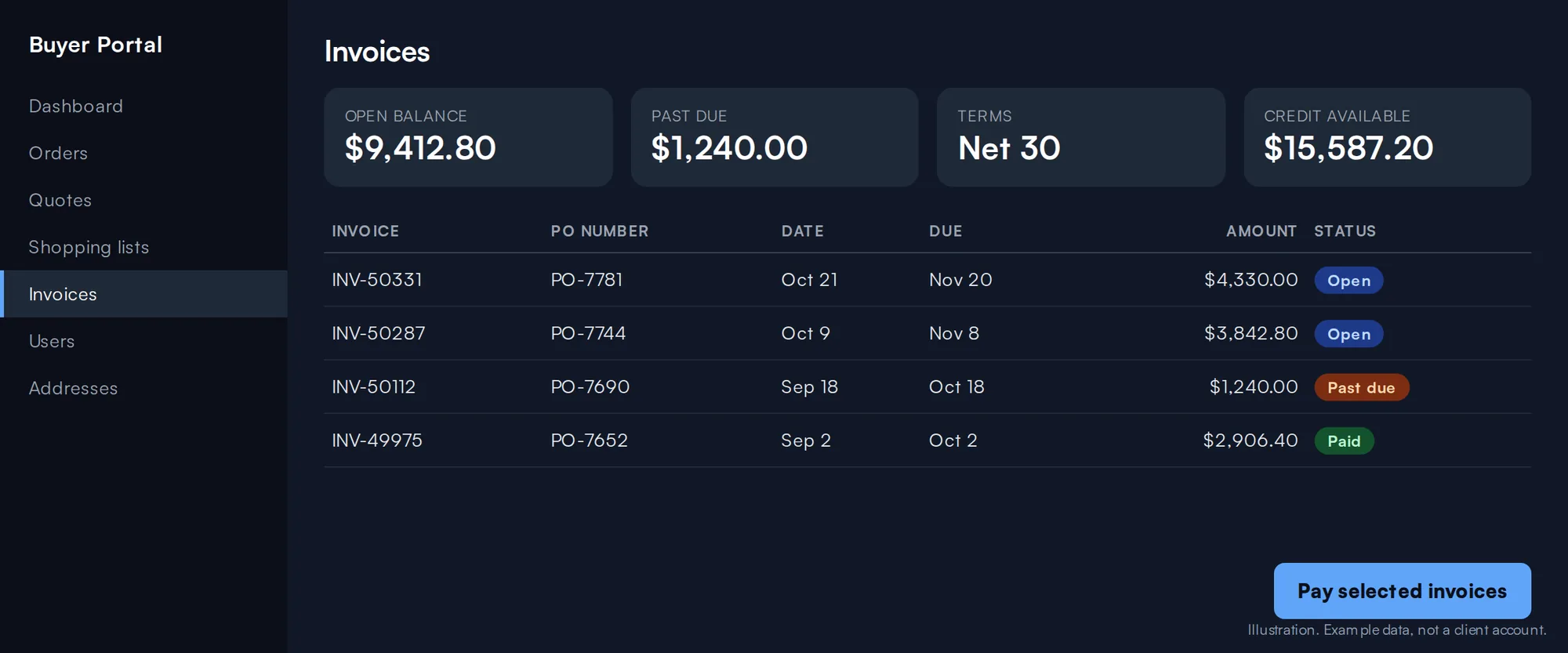
- Invoice, statement and payment views.
- Built around one specific ordering process.
This is often the right first phase: it moves phone and email reorders online without a merchandising project. The catch is growth. Once buyers want catalog search, content or quotes, a portal turns into a storefront built from scratch. When we build one, we plan it so it can move onto Shopware later with the same NetSuite integration.
How it is priced: a portal subscription from a portal vendor plus setup, or a custom build.
Pros
- Fast to launch for a narrow scope.
- Customers do not need NetSuite logins.
- No storefront to maintain.
Cons
- Not a full catalog or storefront.
- Grows awkwardly once you need search, content or consumer sales.
- Every new feature is new custom work.
BigCommerce B2B with a NetSuite integration
For sellers who want a SaaS platform and can work within its guardrails.
Key features
- Account pricing, buyer portals, quote workflows and approval controls, per BigCommerce.
- Payment management for purchase orders, cards and net terms per account.
- Ordering on behalf of buyers, with access to their shopping lists.
- An open-source buyer portal codebase.
Choose it when SaaS is a hard requirement. Plan the NetSuite pricing early: BigCommerce describes price lists that set custom pricing at the SKU level for customer groups, which suits synced price levels. Accounts whose prices must come live from NetSuite need a custom app built on BigCommerce’s APIs.
How it is priced: a SaaS subscription from BigCommerce. Confirm with BigCommerce which plan includes its B2B features.
Pros
- Nothing to run or patch.
- B2B features built in, not bolted on.
- B2B and consumer buyers on one back end.
Cons
- Checkout and platform changes go through BigCommerce’s APIs and apps.
- Live NetSuite pricing calls need careful design.
- You customize within what the platform exposes.
What a NetSuite integration has to carry
Whatever you choose beyond SuiteCommerce, the integration does the work SuiteCommerce did for free. Our ERP ecommerce integration guide covers the patterns in depth; for NetSuite, see our NetSuite integration work.
“When they do come in by email… there is no… drag and drop feature with [our ERP]. It’s basically, we get it, I have to download it, I have to save it, go into [our ERP] and upload it… if you do that repetitively over the course of the day, it’s a lot of busy work.”
A buyer on a sales call: purchasing manager, industrial parts distributor
Proof: a trade portal that replaced the phone
Cabinet hardware and building materials distributor
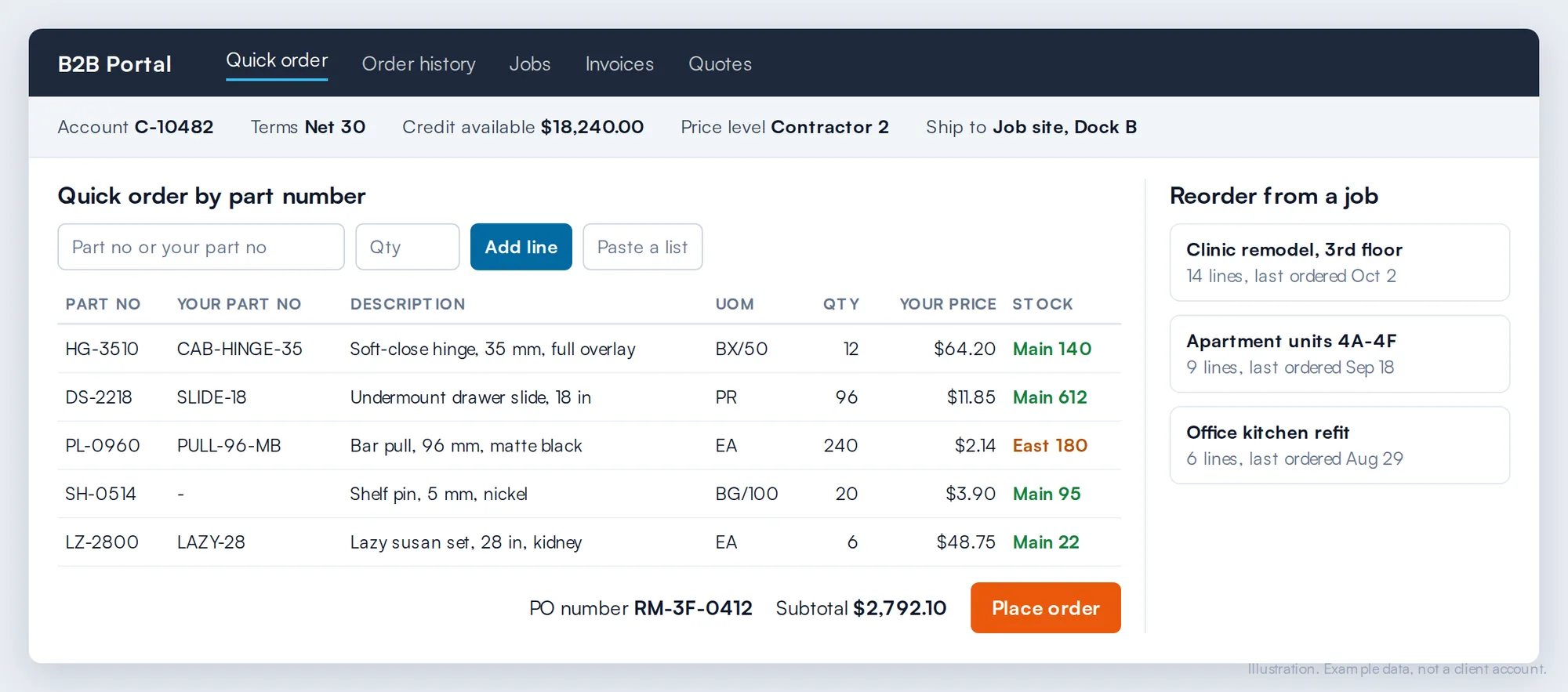
Contractors, cabinet shops and designers ordered by phone and through generic wholesale portals. We built a Magento B2B platform around how those buyers actually order: part-number search, reorder from previous jobs, orders grouped by project and split across job sites, and contractor pricing, payment terms and account history held at the account level.
It was not a NetSuite build. It is the same portal problem SuiteCommerce sellers bring us, solved on a platform the client owns.
“They can reorder specific parts that they need… So it bypasses customer service. They get the exact part… All these things that would take a week of back and forth, the [buyer] can do right away on their own.”
Yitz Lieblich, founder, Web Solutions NYC
How to choose
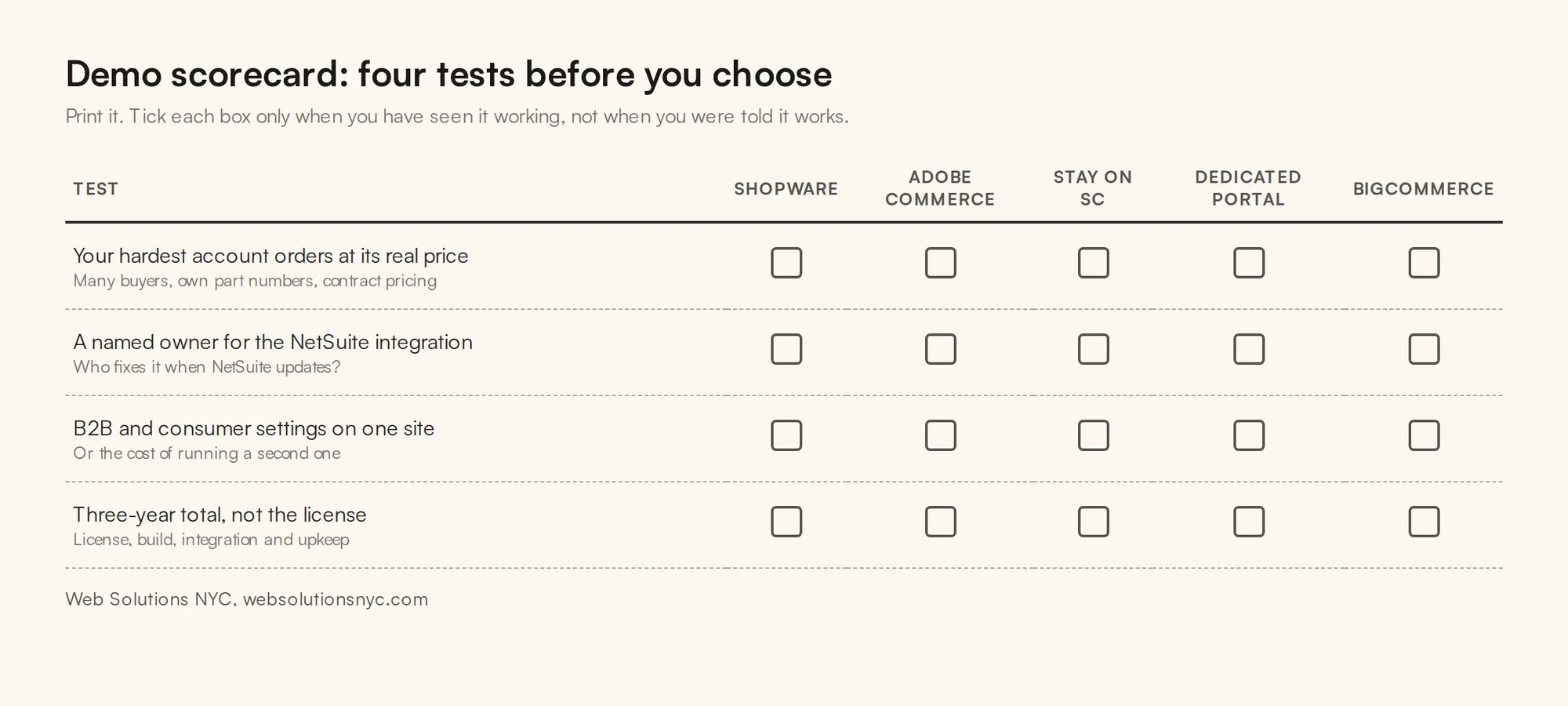
Demos are built to look good. These four tests show what each option does with your business, not the vendor’s sample data.
“You can’t have people logging into all different systems. I’m a big believer [that] if you make the right way of doing things the easiest way of doing things, they’re all going to do it.”
Yitz Lieblich, founder, Web Solutions NYC
Run your hardest account through the demo
Pick the customer with the most complex pricing, many buyers and its own part numbers. Send its price list and three real orders a week before the demo. Ask to watch that account log in, find its items by its own part numbers and check out at its real price, before any slides.
Ask who owns the integration
With SuiteCommerce there is nothing to own. With every other option, someone maintains the NetSuite connection when NetSuite updates, an endpoint changes or your pricing rules change. Get a name, ask how failed orders are retried, and ask what happens to an order placed while NetSuite is unavailable.
Count the second site
List the web site settings your trade and retail buyers need differently: price level, login for pricing, payment terms, minimum order. If any differ, SuiteCommerce needs two sites. Price two sites, two domains and their upkeep against one platform that switches B2B features per customer.
Add up the whole move
Compare license, build, integration and three years of upkeep, not the license alone. Include the cost of the second site if you need one, the integration owner’s time, and how each option handles a version upgrade. The cheapest license is rarely the cheapest three years.
Conclusion
If SuiteCommerce works for your buyers and your team, keep it and tune it. If your buyers need more than it models, start with Shopware: real B2B buying and code you own. Choose Adobe Commerce when you are already invested in Magento or need the deepest customization, a dedicated portal when the need is narrow, or BigCommerce when it must be SaaS. In every case NetSuite stays the system of record, and the integration decides whether buyers trust what they see.
Frequently asked questions
SuiteCommerce is Oracle NetSuite’s own ecommerce product, built on NetSuite’s customer, item and transaction records. It comes as SuiteCommerce, SuiteCommerce Advanced (with code-level access) and SuiteCommerce MyAccount, a logged-in self-service portal with no shopping or checkout.
Oracle NetSuite licenses SuiteCommerce per site, and a NetSuite partner implements it. SuiteCommerce MyAccount needs its own license. Ask for the license, the implementation and the yearly upkeep as separate lines when you compare options.
Yes. Per Oracle, SuiteCommerce MyAccount needs its own license, but you can run a SuiteCommerce or SuiteCommerce Advanced site and a separate MyAccount portal at the same time. You then have two My Account portals and two secure domains.
SuiteCommerce is SaaS: the code is locked and updates roll out automatically. SuiteCommerce Advanced gives developers code-level access, but per Oracle’s developer site, SCA sites can only be migrated to new versions manually, so many web stores lag behind on older versions.
Yes. Shopware, Adobe Commerce, a dedicated portal or BigCommerce can all connect to NetSuite through its APIs. NetSuite stays the system of record for customers, pricing, inventory, orders and invoices; the new platform becomes the customer-facing layer.
Keeping NetSuite and weighing your portal options?
Bring us your hardest account: the one with the most buyers, its own part numbers and contract pricing. We will show you what each option does with it, including “stay on SuiteCommerce” if that is the honest answer.
Let’s talkSources
- Oracle NetSuite Help Center: SuiteCommerce MyAccount Overview
- developers.suitecommerce.com: SuiteCommerce Advanced Feature Compatibility Matrix
- developers.suitecommerce.com: Set Up B2B Functionality on SuiteCommerce
- Oracle NetSuite Help Center: Overview of SuiteTalk REST Web Services
- Shopware developer documentation: B2B components
- Shopware: plans and pricing
- Adobe Experience League: Introduction to Adobe Commerce B2B
- BigCommerce: B2B ecommerce and pricing pages, bigcommerce.com
All sources checked October 2026.
Related guides
NetSuite and SuiteCommerce are trademarks of Oracle. Adobe and Adobe Commerce are trademarks of Adobe. Shopware is a trademark of shopware AG. BigCommerce is a trademark of BigCommerce Pty. Ltd. Product names are used to identify the products discussed. Web Solutions NYC is a Shopware partner and is not affiliated with or endorsed by Oracle or BigCommerce.