
Short answer: the best B2B ecommerce platform is the one that shows your ERP’s prices, stock and credit correctly to every buyer and sends orders back intact. For most mid-market distributors and manufacturers, that is Shopware with its B2B components. Adobe Commerce fits the most complex catalogs and sellers already on Magento. BigCommerce B2B, Shopify Plus and Salesforce B2B Commerce fit narrower situations, compared below.
Most B2B platform guides are written by platform vendors. They start with a feature checklist: company accounts, quotes, quick order, punchout. Every serious platform ticks most of those boxes, so the checklist rarely decides anything. What decides a B2B project is the ERP.
Your ERP already knows each customer’s contract price, which branch has the stock, how much credit an account has left, and what happens to an order after it is placed. The new site has to show that truth to buyers and send orders back without breaking it. If the platform fights your ERP, every buyer sees it: a wrong price, a phantom item in stock, an order that sits in a queue for a day.
This guide is for distributors and manufacturers who run an ERP such as NetSuite, Epicor P21, Microsoft Dynamics, SAP Business One, Sage or Acumatica and are choosing, or replacing, the platform their customers order on. It is written from the integration side, because that is where these projects succeed or fail.
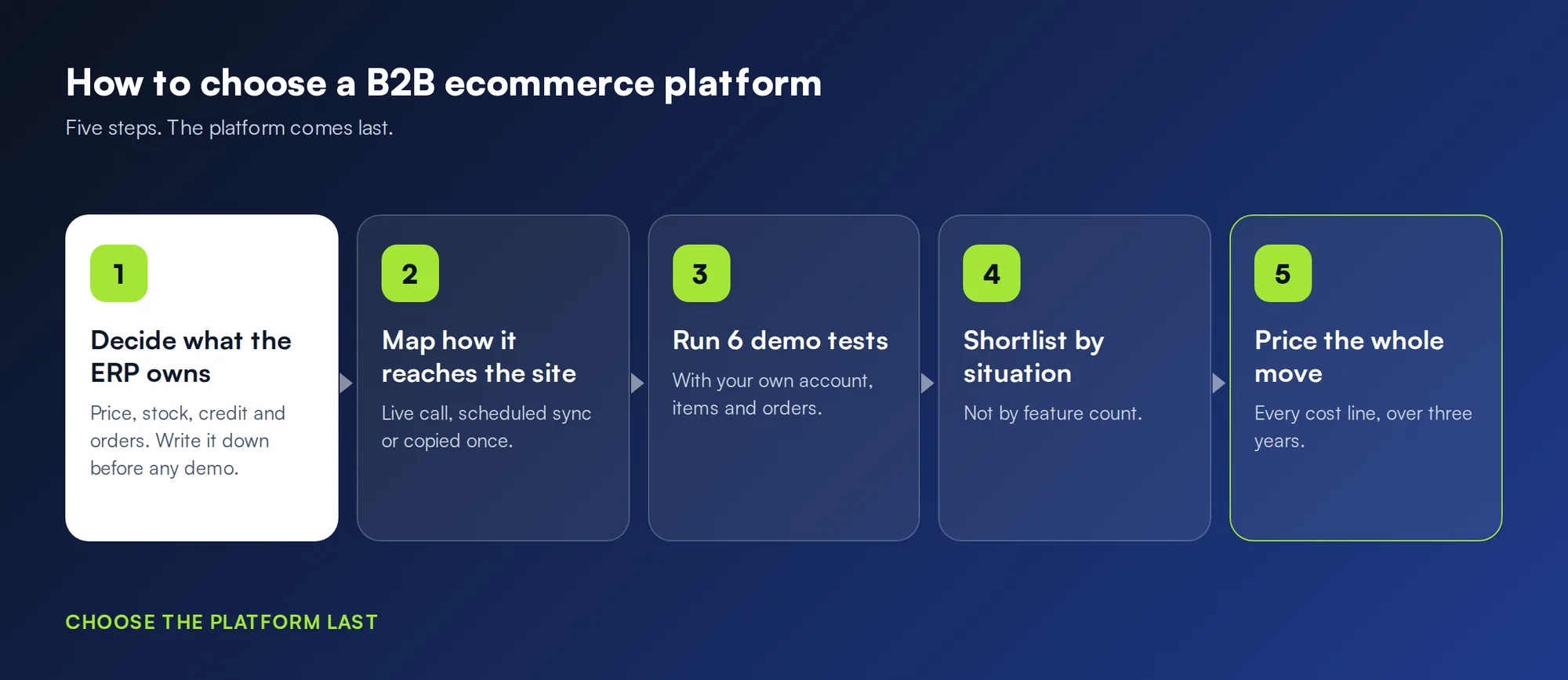
Quick answer: how to choose a B2B ecommerce platform in 5 steps
Web Solutions NYC builds B2B commerce on Shopware, where we are a Platinum partner, and on Adobe Commerce (Magento). We have been building ecommerce since 2007. Almost every build is wired to an ERP that owns price, stock and credit: NetSuite, Epicor P21, Dynamics, SAP Business One, Sage and Acumatica. We do not sell a platform license. We are the team that has to make the platform and the ERP agree after launch.
Comparing B2B ecommerce platforms for an ERP-led business? Bring us your hardest account and we will show you how each platform handles it.
Step 1: Decide what the ERP owns
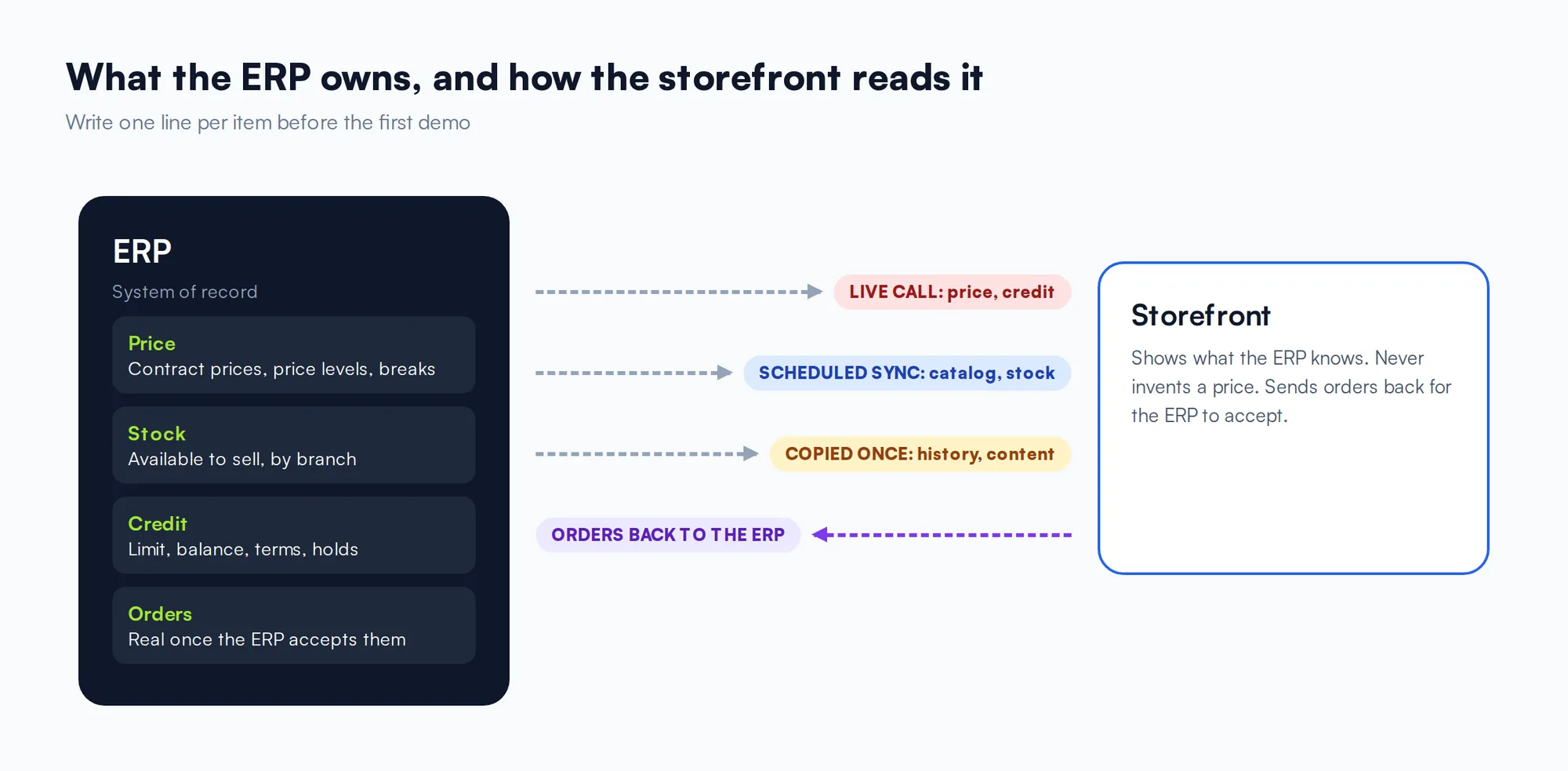
Before you look at a single demo, write one line for each of these four things: who owns it, and who is allowed to change it.
Some teams decide the platform will own part of this, for example promotional pricing or a web-only catalog. That is fine, as long as it is written down. The failure we see most is a split nobody decided: the ERP and the platform both hold prices, and nobody knows which one wins. Our ERP ecommerce integration guide goes deeper on these ownership rules for each ERP.
“Purchase orders come through an email form 99% of the time. The other 1%… the customer will walk in our front door and drop a purchase order in our hands.”
A buyer on a sales call: owner, industrial parts distributor
Step 2: Map how each one reaches the storefront
For each item you listed, choose one of three patterns:
Write the pattern next to each line from Step 1. This one page becomes the brief for every demo and every integration quote. It also shows you early whether the platform needs to make many live calls, which matters for how it handles API limits, caching and timeouts. If you run Epicor P21, our P21 ecommerce integration guide shows how this mapping looks in practice.
“Their integration exists, but when things break, they break hard… and they’ve sort of washed their hands of us.”
A buyer on a sales call: co-owner, architectural hardware distributor
“They get a bunch of SaaS systems, piece them together and go to bed and pray they don’t change their APIs.”
Yitz Lieblich, founder, Web Solutions NYC
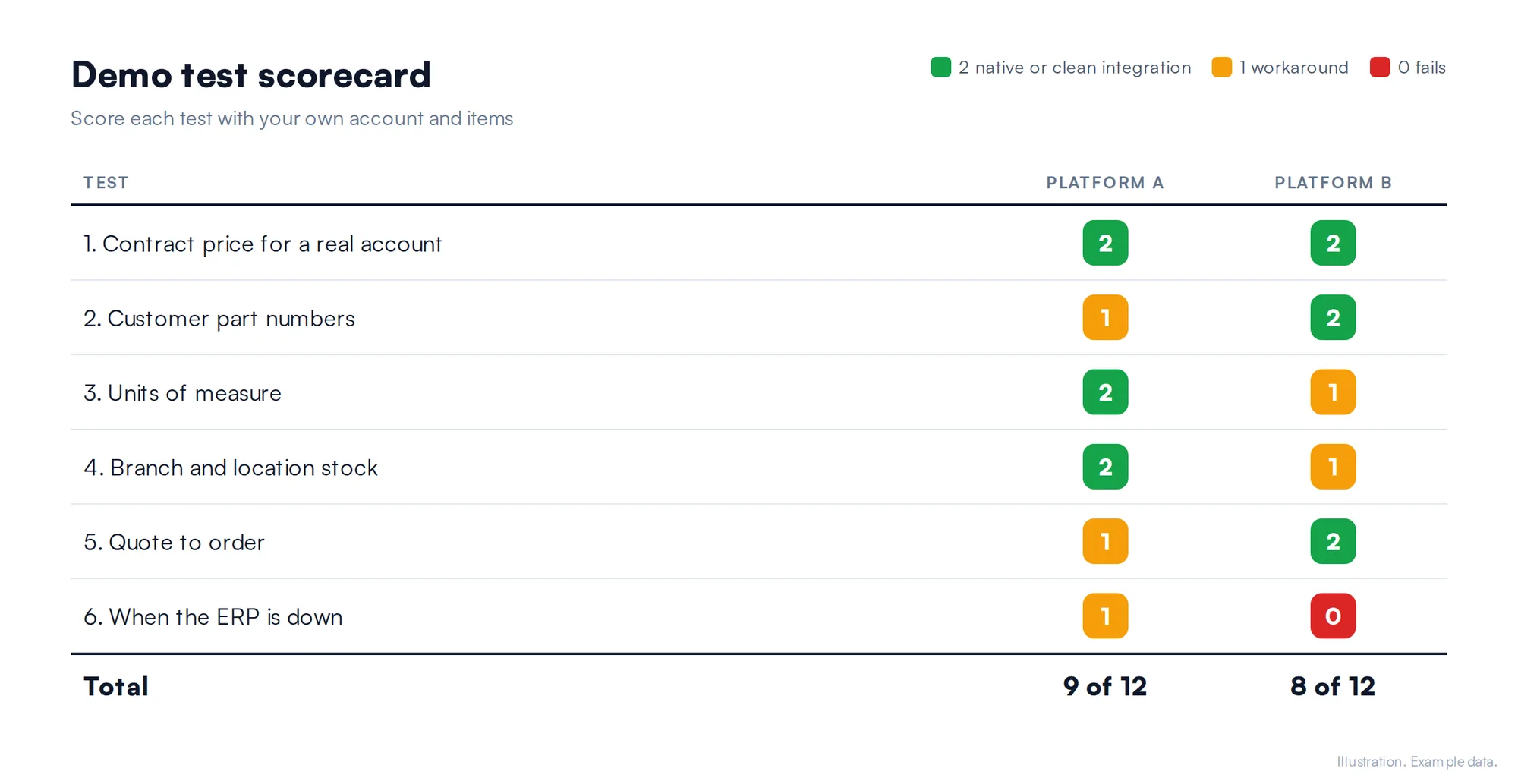
Step 3: Run the six demo tests
Do not let a vendor demo their own sample store. Send them one real account, ten real items and a real past order a week before the demo, and ask them to run these six tests live.
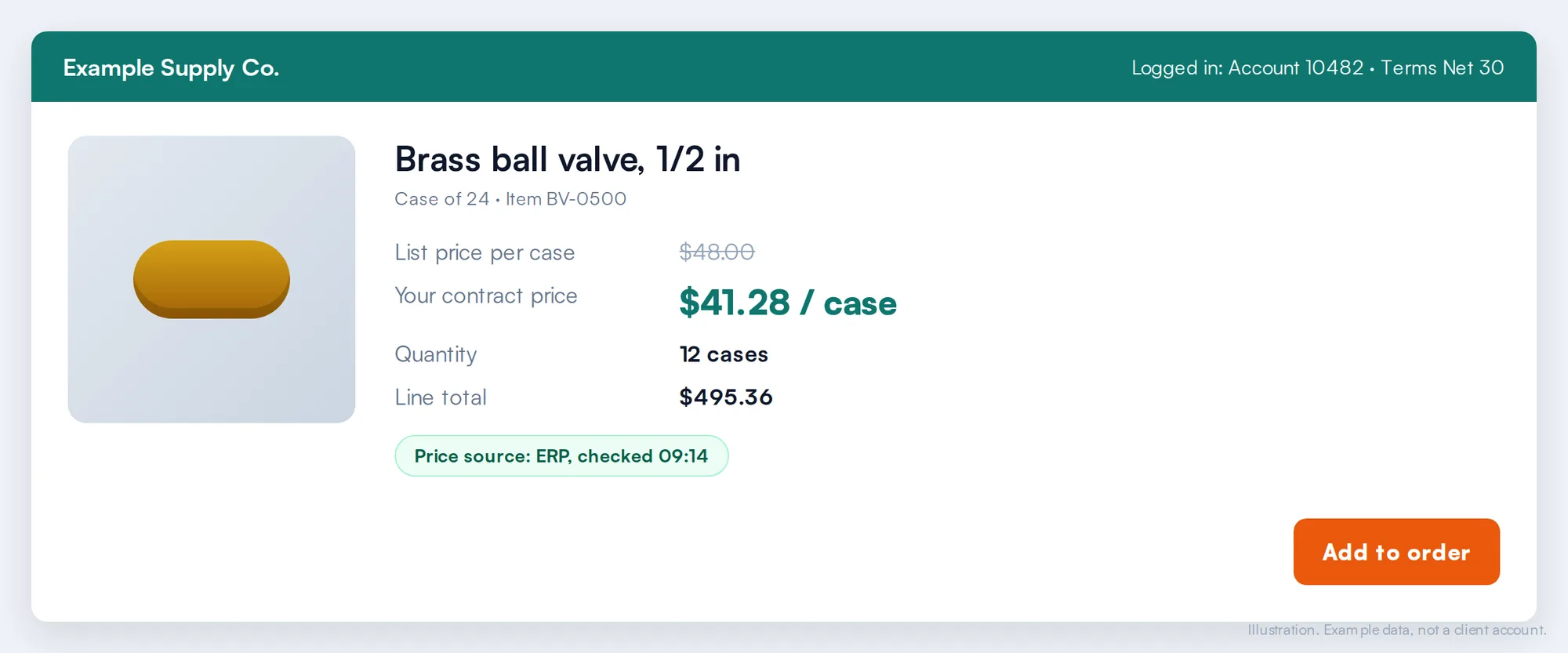
Contract price for a real account
Log in as your most complex customer. Every item should show that customer’s contract price, the same number your ERP shows. Then change the price in the ERP and ask how long it takes to appear on the site, and which pattern from Step 2 makes that happen.
Customer part numbers
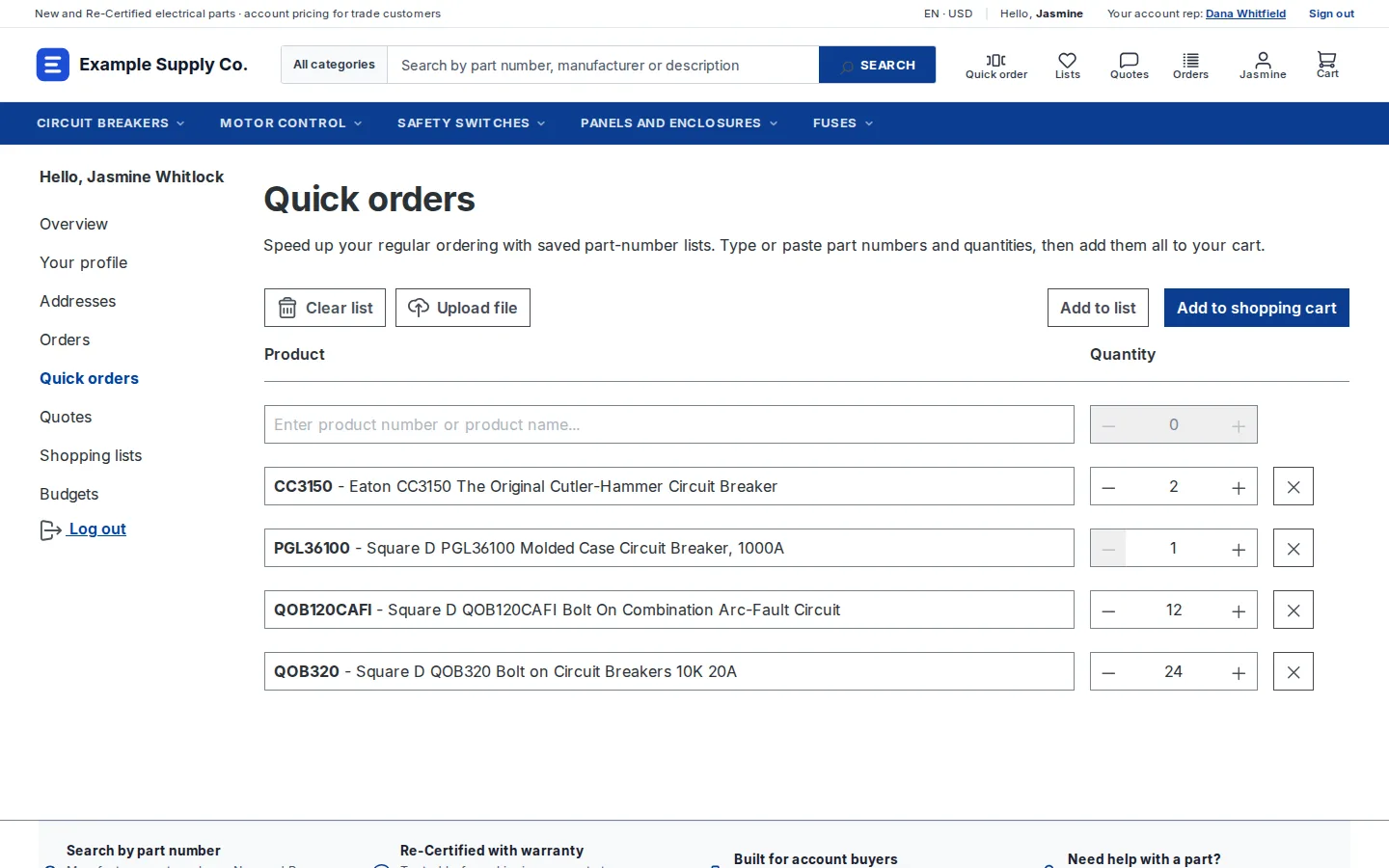
Many B2B buyers order with their own part numbers, not yours. Ask the buyer to search for an item by the customer’s own number and add it to the cart. Ask where that cross-reference lives: in the ERP, in the platform, or in a custom field someone has to maintain.
Units of measure
Your ERP may stock in each, sell in cases and price per box. Ask to order 3 cases of a 24-count item and confirm the ERP receives 72 each at the right price. Watch for rounding, minimums and order multiples.
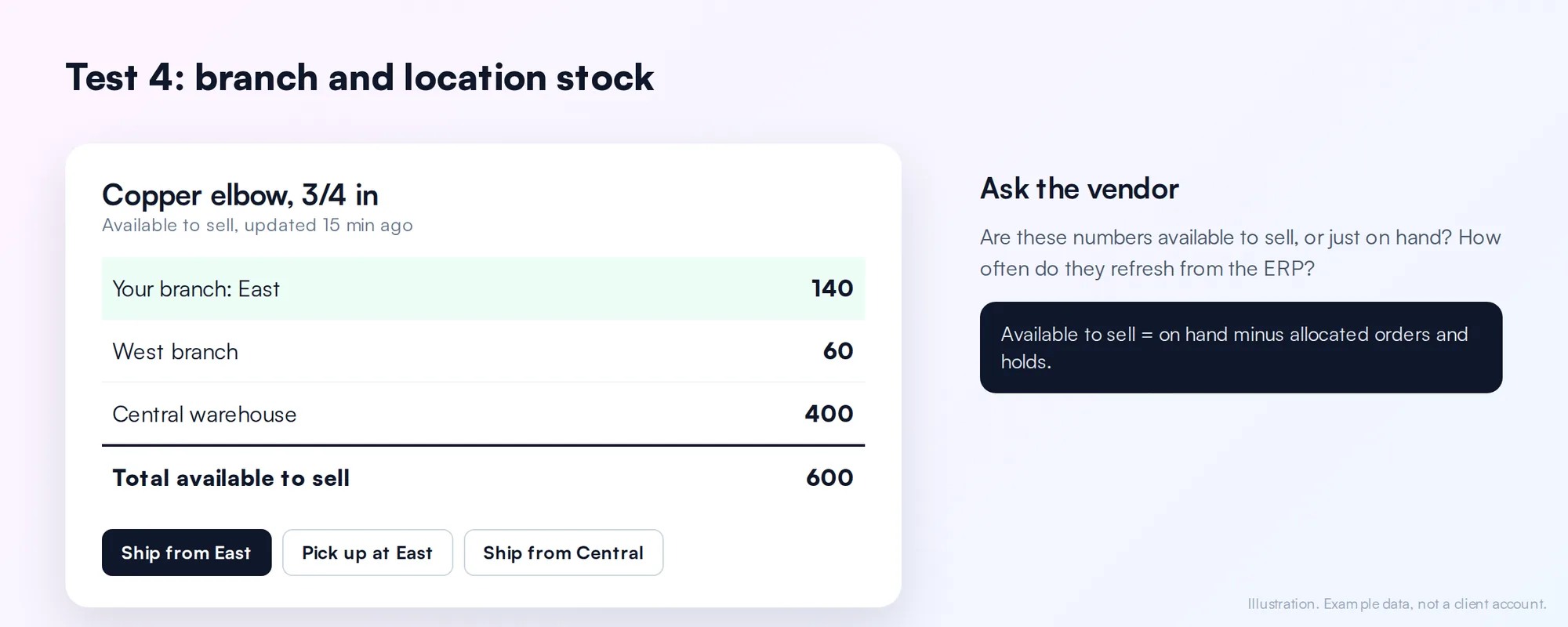
Branch and location stock
Ask the buyer to see stock at their home branch and at the main warehouse, and to choose where to ship from or pick up. Ask whether the numbers are available to sell or simply on hand, and how often they refresh.
Quote to order
Have the buyer request a quote from the cart. Have a sales rep change a price and send it back. Have the buyer accept it and place the order. Then check the order in the ERP: does it carry the quoted price, the buyer’s PO number and the right terms?
When the ERP is down
This is the test vendors skip. Ask what the buyer sees when the ERP stops answering. Can they still browse and see a price? Can they still place an order, and is it queued and sent once the ERP is back? Who gets alerted? A good answer names the queue, the retry rule and the person who gets the alert. A bad answer is “that doesn’t happen.”
Step 4: Shortlist by buyer situation
“Is there an ecommerce piece that can manage both dealers logging in with… pricing specific to them and also end users?”
A buyer on a sales call: parts lead, industrial equipment manufacturer
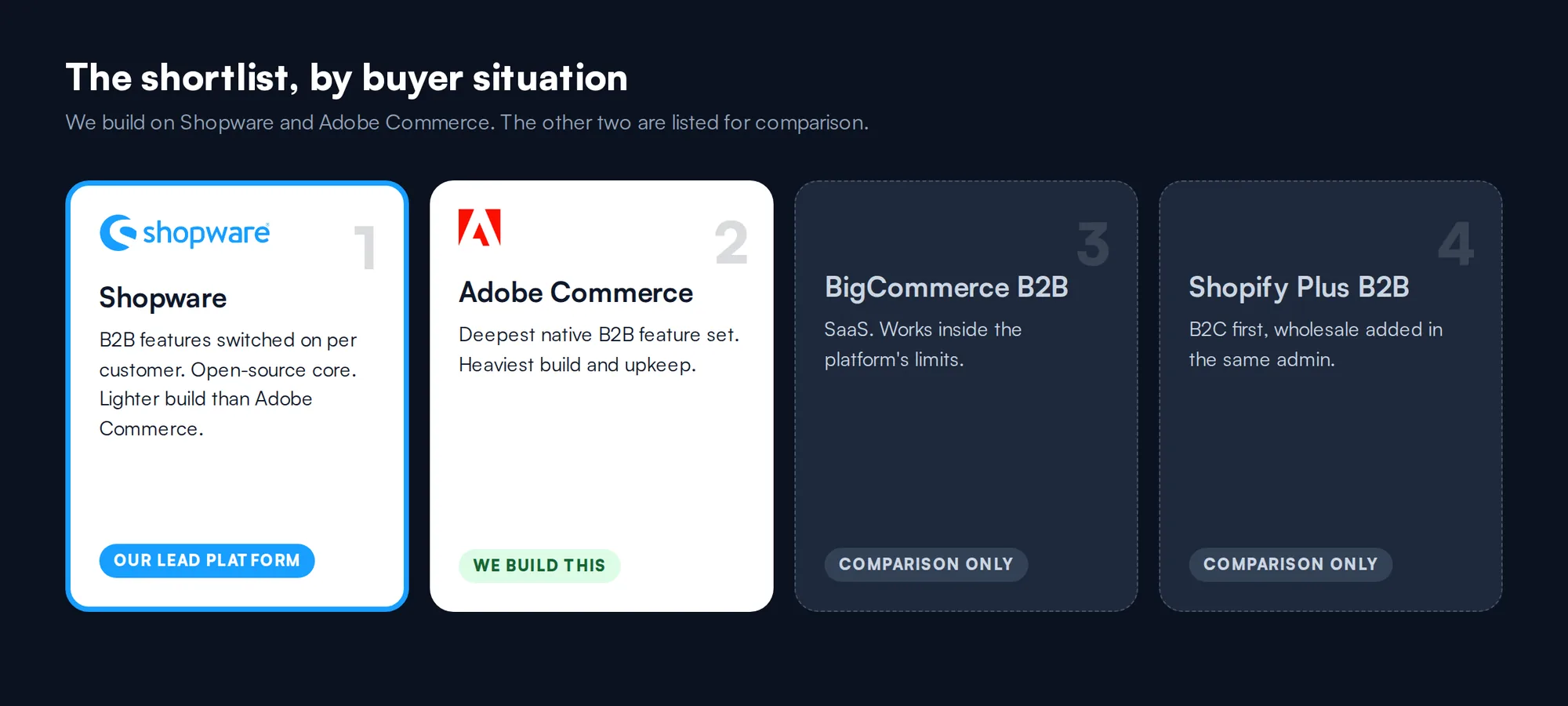
Every platform below can run B2B. The question is which one fits how your buyers order and how your ERP behaves. We build on the first two. BigCommerce B2B, Shopify Plus and Salesforce B2B Commerce are listed for comparison only; we do not build on them.

Shopware: B2B features you switch on per customer OUR LEAD PLATFORM
Fits mid-market distributors and manufacturers who want strong B2B buying with a lighter build than Adobe Commerce, and who want to own the code.
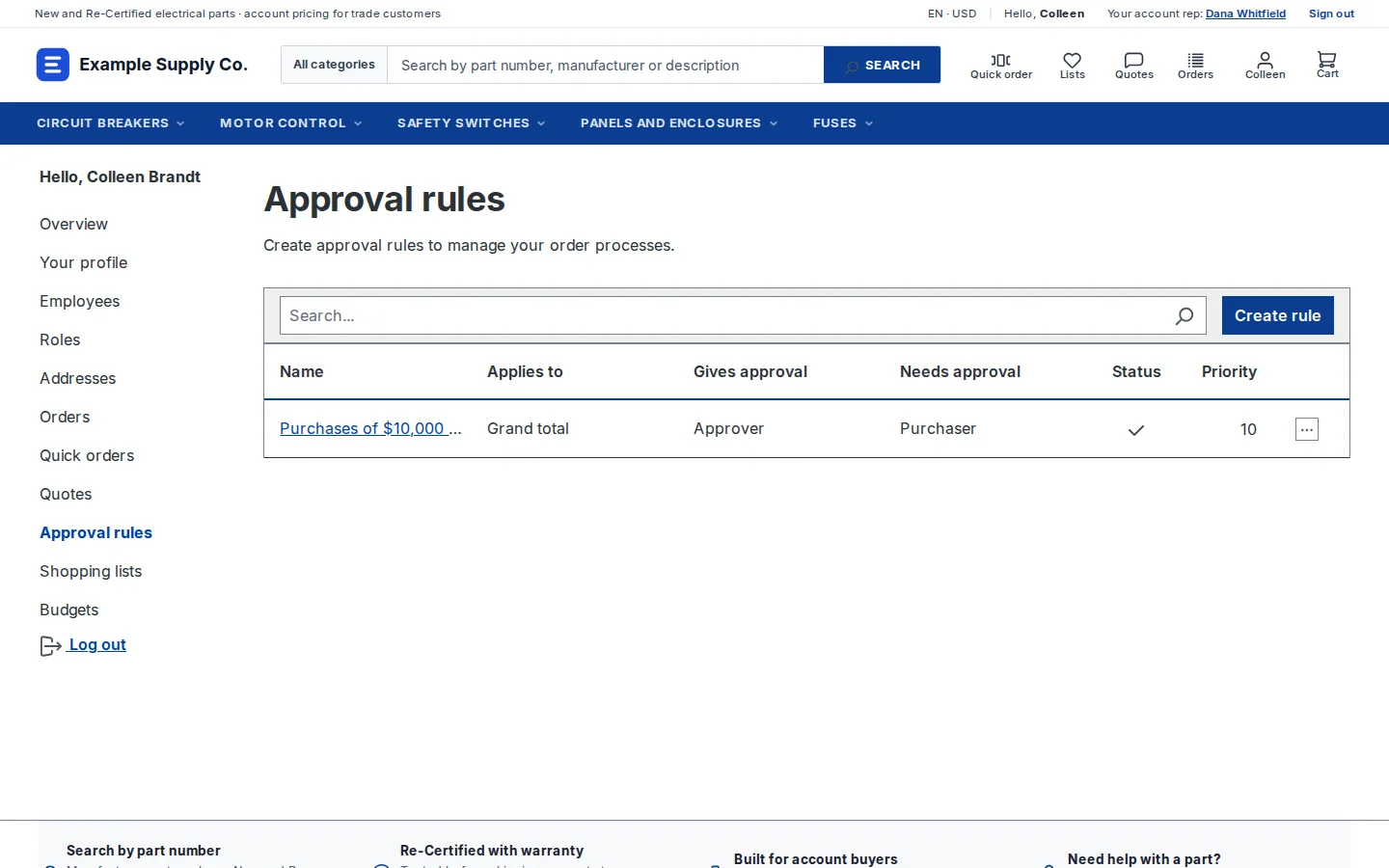
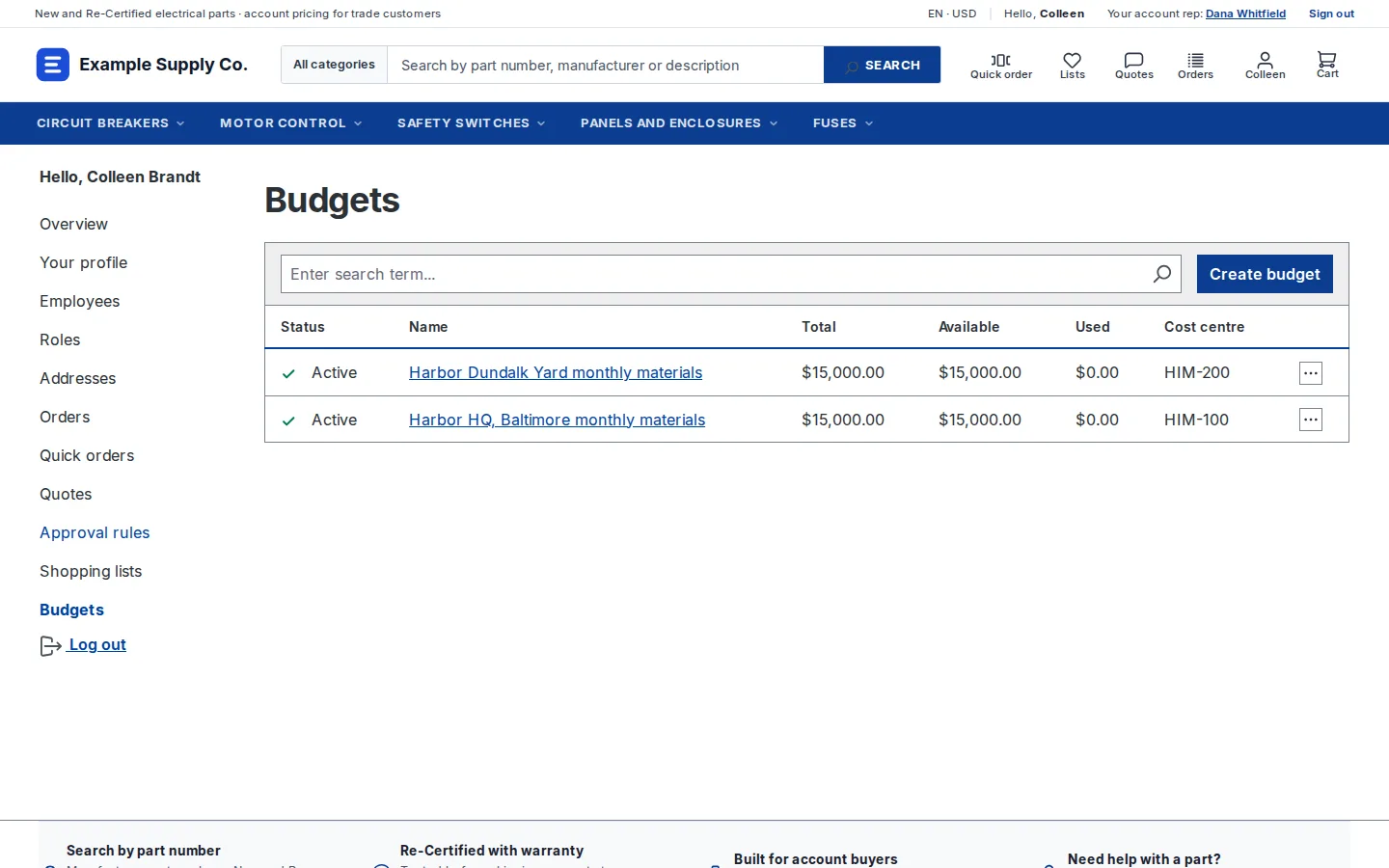
- Shopware’s B2B components cover employee management, quote management, order approval, individual pricing, quick order and shopping lists, and organization units.
- The components can be activated or deactivated for each business partner, so one customer can have quotes and approvals while another just reorders.
- Shopware’s B2B page lists placing orders via file upload, and roles, permissions, limits and budgets for a buyer’s employees.
- For ERP-owned pricing, Shopware’s pricing page lists customer-specific pricing that brings agreed prices “from your ERP or another business system into Shopware via API”, and multi-location inventory. Both sit on the Beyond plan; the quotes and purchasing approvals components start with Evolve.
- Product data includes minimum order quantity, purchase steps and packaging unit, per Shopware’s product documentation.

Adobe Commerce: the deepest native B2B set WE BUILD THIS
Fits distributors and manufacturers with complex company structures, negotiated pricing and large catalogs, who want any buying flow to be buildable and accept the heaviest build.
- Adobe Commerce B2B is an extension installed in an Adobe Commerce store, per Adobe’s documentation. It adds company accounts with divisions, roles and permissions, and a hierarchy for parent and subsidiary companies.
- Shared catalogs set custom prices per product for different companies. Negotiable quotes can be started by a buyer from the cart or by a seller from the Admin.
- Quick order by SKU, requisition lists, purchase order approval rules and pay on account against a company credit line are all documented.
- Inventory Management handles one source or many, such as warehouses, stores and pickup locations, and tracks salable quantity across them.
BigCommerce B2B (comparison only)
Fits sellers who want SaaS and can work inside the platform’s limits.
- BigCommerce’s B2B page lists custom buyer pricing by parent company, subsidiaries, departments and buyers, multi-company hierarchies, buyer-specific catalogs, a quoting engine, and purchase orders and net terms per account.
- It also lists ordering on behalf of buyers and an open-source buyer portal, and names integration partners for ERP data.
Shopify Plus B2B (comparison only)
Fits brands that sell B2C first and want wholesale in the same admin.
- Shopify’s B2B page lists company profiles with multiple buyers and locations, customer-specific catalogs assigned to a buyer or location, volume pricing, payment terms, and quantity rules including minimums, maximums, case packs and increments.
- It names ERP integration partners and custom logic through Shopify Functions.
Salesforce B2B Commerce (comparison only)
Fits sellers whose sales team works in Salesforce and starts quotes in the CRM.
- Salesforce’s B2B Commerce page lists account and buyer entitlements, negotiated pricing, personalized catalogs, buying on behalf of other accounts, split shipments and headless Commerce APIs.
- Its strongest card is the native connection to Salesforce Sales and Service. The ERP integration is still a project someone has to build and own.
Quick read by situation
“You’re never going to find the platform that has all of your features. It just doesn’t.”
Yitz Lieblich, founder, Web Solutions NYC
Step 5: Price the total cost of the move
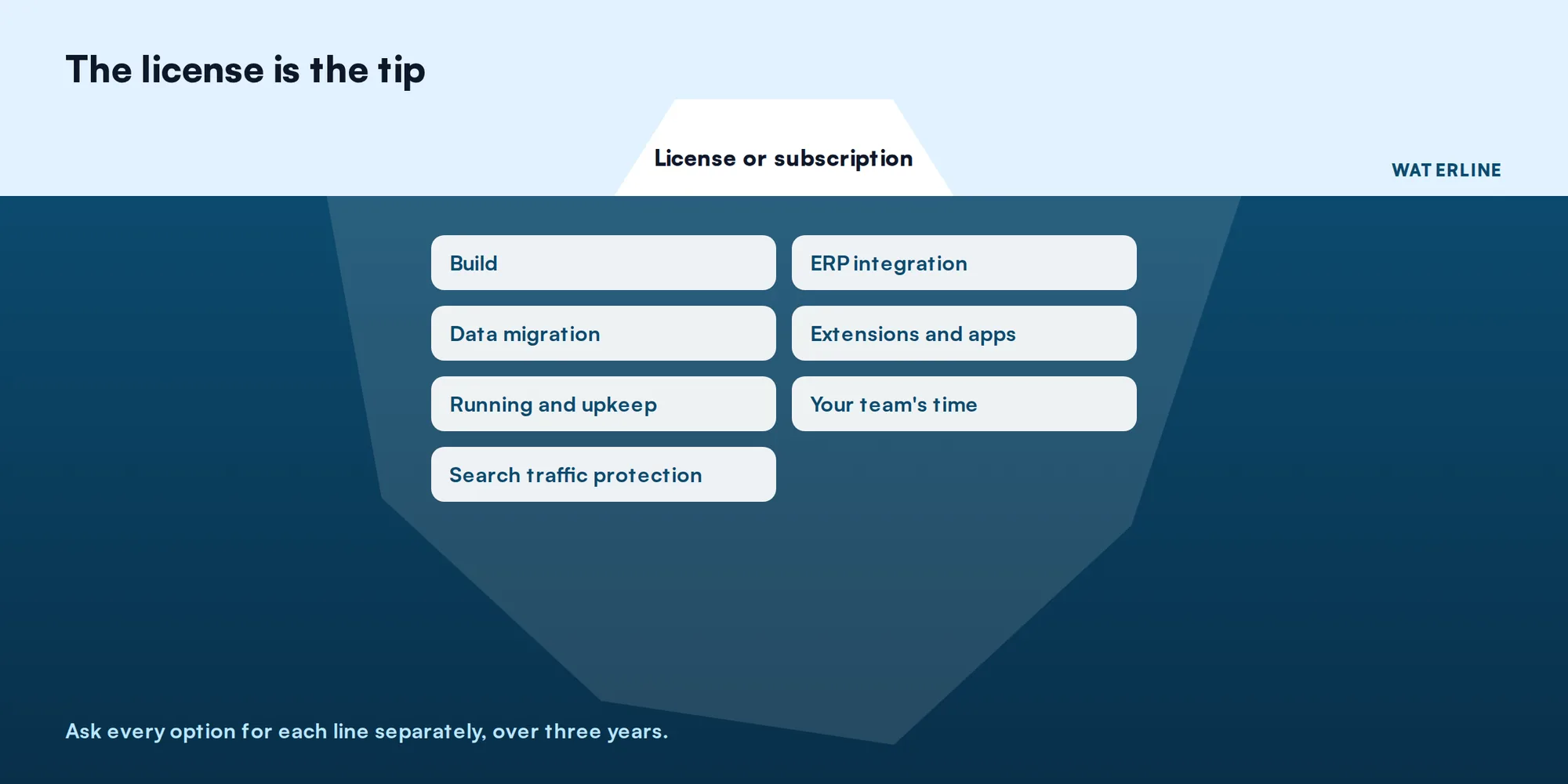
The license is usually the smallest surprise. Ask every option for each line below separately, over three years.
Our ecommerce replatforming cost page breaks these lines down further.
Red flags in a platform pitch
- The demo uses only sample data. If they will not run your account, they have not looked at your pricing.
- “Real-time” with no detail. Ask which calls are live, which are synced, and how often.
- A “pre-built connector” for your ERP that nobody can show working on your ERP version.
- A quote that converts to an order without the ERP checking price and credit.
- No answer to Test 6. Every ERP goes down eventually.
- Nobody owns the integration after launch. Get a name, on their side or yours.
- A feature list with no plan level. Confirm which plan includes the B2B features shown.
“It’s B2B… less orders, but a bigger amount… and we are getting it through text, email and WhatsApp and call as well.”
A buyer on a sales call: owner, food distributor
Proof: a manufacturer that replaced phone and fax orders
Bath fixtures manufacturer, distributor portal
The manufacturer sold through distributors, contractors and retailers. A single bathtub came in dozens of sizes, materials, colors and configurations. Distributors called sales reps and faxed purchase orders, and nobody had visibility into demand.
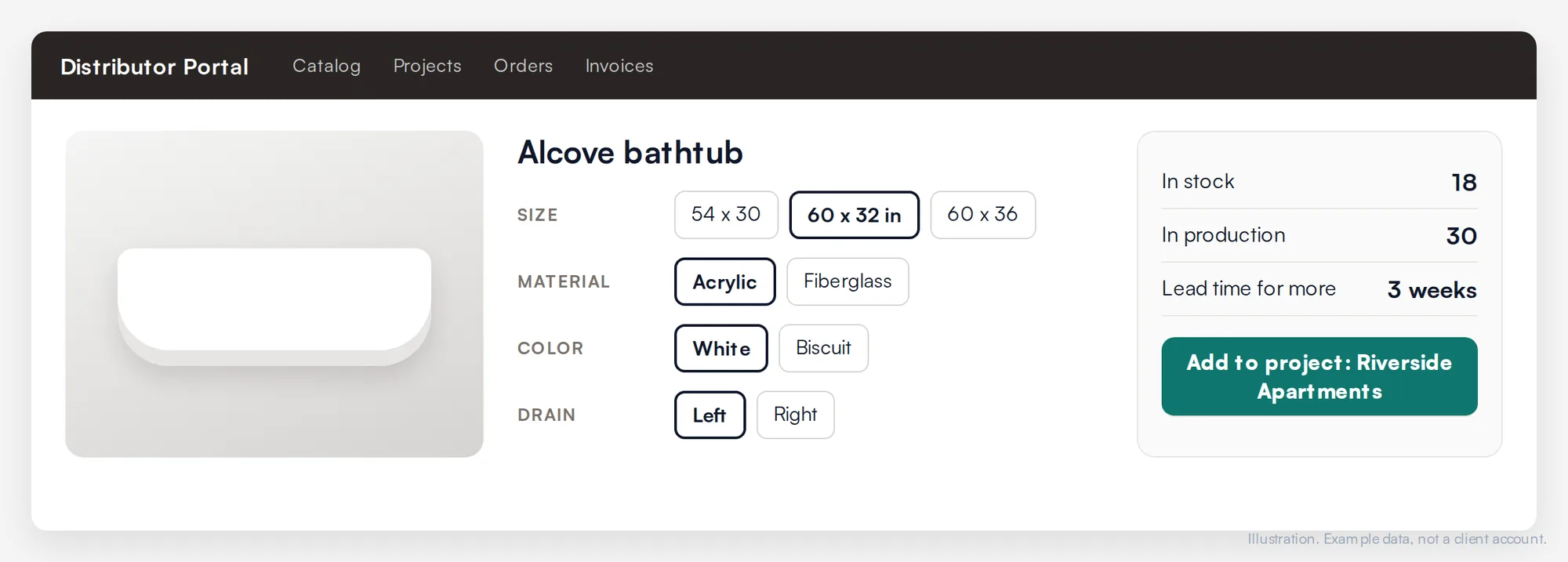
We built a distributor portal on Magento. Inventory views include stock on hand, manufacturing in progress and lead times based on current capacity. Accounts carry tiered pricing, order history and project records, and the portal handles bulk purchases, split shipments and flexible payment terms. Orders flow directly into manufacturing scheduling. Sales reps moved from processing orders to managing relationships, and manufacturing got demand data to plan production.
The lesson for platform choice: the portal reads lead times, stock and production from the back office instead of keeping its own copy, and orders go straight into manufacturing scheduling. See dealer portals for manufacturers and B2B customer portal development.
Conclusion
Choose the platform last. Decide what your ERP owns, map how each piece reaches the site, and make every vendor run the six tests on your data. Then shortlist by situation: Shopware when you want B2B features set per customer on an open-source core, Adobe Commerce when you need the deepest native B2B set, and BigCommerce or Shopify Plus as comparisons if you want a SaaS-only platform. Price the whole move, not the license.
Frequently asked questions
Company accounts with many buyers, contract pricing, quick order, quotes, approvals, and payment on terms. Beyond features, the real requirement is a clean connection to your ERP for price, stock, credit and orders. A platform that cannot read those correctly will fail, however long its feature list.
In most distributors and manufacturers, the ERP. It already holds contract prices, price levels and customer item pricing, and finance trusts it. The platform should display those prices, either through a live call or a frequent sync, and never hold a second set nobody reconciles.
Yes. Shopware and Adobe Commerce both document B2B and B2C on one platform, and BigCommerce and Shopify Plus say the same on their B2B pages. The harder question is whether your ERP rules for each channel differ, such as price levels, terms and minimum orders, and how the integration separates them.
For most mid-market distributors and manufacturers with an ERP: Shopware and Adobe Commerce, which both give you the code and deep B2B features. BigCommerce B2B and Shopify Plus are worth comparing if you want a SaaS-only platform. Decide by running the six demo tests, not by feature counts.
It depends on the integration design, so ask in the demo. A good design lets buyers keep browsing with the last known prices, queues new orders, sends them once the ERP is back, and alerts a named person. A poor design simply stops taking orders or loses them.
Choosing a platform for an ERP-heavy B2B business?
Send us your hardest account and ten items. We will show you how each of the six tests plays out on Shopware or Adobe Commerce with your ERP.
Let’s talkSources
- Shopware developer documentation: B2B components
- Shopware: B2B solutions
- Shopware: plans and pricing
- Shopware documentation: Products
- Adobe Experience League: Introduction to Adobe Commerce B2B
- Adobe Experience League: Negotiable quotes
- Adobe Experience League: Inventory Management
- BigCommerce: B2B ecommerce page, bigcommerce.com
- Shopify: Shopify Plus B2B ecommerce page, shopify.com
All sources checked October 2026.
Related guides
Shopware is a trademark of shopware AG. Adobe and Adobe Commerce are trademarks of Adobe. BigCommerce and Shopify are trademarks of their respective owners. Product names are used to identify the products discussed.